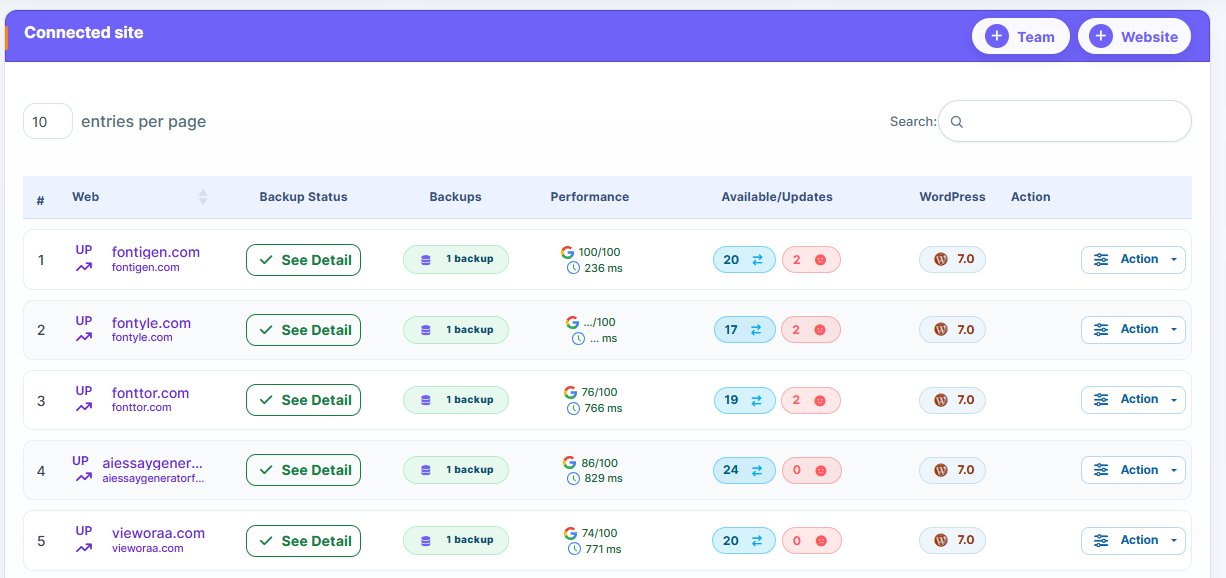
A comparison of full vs incremental WordPress backups and differential WordPress backups is an important topic. These backup types play a significant role in your website’s security.
To ensure proper safety, you need to understand when to implement each backup. This is important even if you’re using advanced management tools like WP Managify,
Here, we explain the meaning, pros and cons, and when to use full, incremental, or differential backups to safeguard your website. Read on!
The Full WordPress Backup
As the name implies, a full website backup involves creating complete copies of your website data. You’re backing up everything on your website.
In plain terms, the full WordPress website backup captures:
- Plugins
- Themes
- Core files
- Media files
- Database tables
- User account
- Custom code
- Orders and user activity
- Settings and configurations
With the full backup, you’ll have a complete independent version of your website data. And the benefit: easy backup restoration.
While the full backup is the most crucial backup type in your entire system, it has its pros and cons.
Pros of full backups
Here are the benefits of initiating a full backup.
Easy restoration:
Full backups are a breeze to restore. Why? With a full backup, you create complete copies of your entire website.
Restoration is quick and straightforward with full backup. That is because you’re no longer relying on past backups or reconstructing data from diverse sources to restore your website to its previous state.
Lowers risk of inconsistency:
Inconsistency isn’t an issue with full backups. Why? You’re backing up the entire website.
Full backup keeps your website data intact. It keeps all your data in one place. You won’t encounter any inconsistencies when restoring your backups.
Store backup copies in different locations:
Another advantage of full backups is the ability to store backups in different locations. You can easily store your backup off-site.
Cons of full backups
Here are the challenges of a full-site backup.
Storage space:
Full backs take up a considerable amount of storage space. Why? You’re copying every single thing on the website. By copying every file during each backup, the full backup size grows quickly.
This backup strategy consumes a significant amount of CPU. Another disadvantage is that it can get more expensive when using cloud storage.
Pro Tip: You’ll be more efficient by combining a full backup with other strategies. It would be counterproductive and too expensive to set up a schedule for a full WordPress backup.
Backup time:
Backup time is another downside of full backups. Because you’re backing up the entire website, the process could take longer.
You can’t run full backups for a busy website every hour. It can slow down the websites.
The Incremental WordPress Backup
What does incremental backup mean? When you say something is incremental, it means it’s increasing gradually.
Incremental backup differs from the full backup strategy. You initiate incremental backups after establishing a baseline. In other words, you need to initiate a full backup to capture the entire website’s data first.
The full backup is like laying the foundation of a house, while the incremental backup is like building the house brick by brick. It captures every alteration you make on the website.
Incremental backup doesn’t copy everything again. It just saves the new changes since your last backup. It searches for:
- Updated files
- New files
- Deleted files
- New user activity
- Change lines in the database
- Modified metadata
Before we discuss incremental backup examples, here is how the backup chain works:
Full backup > Incremental backup > incremental backup > incremental backup > incremental backup
Each incremental backup depends on the previous one. That’s how the backup strategy works. It’s the fastest WordPress backup method for active businesses.
Let’s discuss incremental WordPress backup advantages and disadvantages.
Pros of incremental website backup
Here are reasons to set up incremental backups for your website.
Storage space:
Between full vs incremental WordPress backup, which consumes more space? Full backup does.
With incremental backups, you’re only backing up the minor changes to a website, not the entire files. This makes the backup type more resource-efficient.
Short backup window:
Because you’re only backing up changed data on your website, incremental backup completes faster. Furthermore, your live web applications will experience less impact due to lower server load.
Pro Tips: The short backup window of incremental backup makes it an excellent option for securing and maintaining system availability.
The small size of incremental backups means you’ll save more storage space and spend less on your website backup.
The reduced storage needs and associated cost of incremental backups make it a wise choice for daily or more frequent backups. It suits websites that set up hourly or frequent backups.
While incremental backups suit active businesses, your choice of incremental backup software is essential. You need the right software for proper backup.
Cons of incremental backup:
Here are the disadvantages of an incremental backup strategy.
Complex restoration:
While incremental backups have a short backup window, their restorations can be complex, time-consuming, and taxing.
Incremental backup restoration involves several steps. First, you need to restore the full backup. Thereafter, you need to restore incremental backups one after the other.
You need to restore the files in the correct sequence for your website to function correctly after the restoration.
One corrupt backup can cause instability:
One disadvantage of incremental backups is that all your backups must be working for easy restoration. If one backup gets corrupted or deleted, the rest would become unstable.
Troubleshooting a corrupted incremental backup is also a complicated process.
The solution to this problem is to verify the backup integrity and reliability occasionally.
Full vs Incremental Backup Comparison
Check out the differences between full, incremental, and differential backups to make an informed decision.
| Full Backup | Incremental Backup | ||
| Backup Time | Slow | Very Fast (fastest) | |
| Storage | Largest | Smallest | |
| Server Load | Heavy | Minimal | |
| Restore Time | Fast (fastest) | Slow (particularly for long chains) | |
| Idea For | Baseline snapshots | Daily or hourly alterations |
When To Run A Full Backup For WordPress Website
Initiate full backups before you do the following:
- Before migrations
- Before you change the WordPress website theme
- Before you conduct major updates on your website
- Before you install a new plugin on your website
- Before the server you’re using moves
- Before you redesign your website
- Before you reset your WordPress
- Before you enable new extensions on your website
- Before you edit core files
Full backup is essential to protect your website. You’re creating a secure anchor point for your website with a full backup.
Pro Tips: You don’t need to run a full backup every day. You can do it once every week.
When To Run An Incremental Backup For WordPress Websites
When is the right time to use incremental backups on a website? The bottom line is that incremental backups are suitable for websites that change infrequently.
Use it when running the following platforms:
- News websites
- Community forums
- Media-rich websites
- Membership websites
- High-content sites
- WooCommerce platforms
- eLearning platforms
- Blogs that publish content daily
Use the incremental backup strategy for high-activity websites. It will ensure nonstop protection of your website.
When To Run a Differential WordPress Backup For WordPress
For websites you update regularly (even though you aren’t consistent), use the differential backup. You can use this backup strategy for the following websites:
- Company websites
- Portfolio websites
- Service websites
- Medium blogs
- Business landing websites
- Content websites are updated weekly
Without the differential backup strategy, you’ll have stable restore points without the complexities that surround incremental chains.
Differential vs Incremental Backups vs Full Backup: Real-World Examples
Here are practical scenarios to apply the different types of WordPress backups.
Backup Strategy For Blog Updated with posts weekly:
If you have a blog you update with fresh posts weekly, do this:
- Initiate a monthly full backup
- Follow this up with a weekly differential backup
Backup Strategy For an eCommerce Store:
If you have an eCommerce store, here’s how your website backup should be:
- Run the full backups every month
- Initiate hourly incremental backups
- Daily differential backups are optional
Backup Strategy For a Membership Portal:
If you have a membership portal, your backup strategy should include:
- Every week, initiate a full backup
- Set up incremental backups to run every hour
Backup Strategy For Large Digital Magazine:
Have a large digital magazine or similar business? This backup strategy should suit your website.
Note: You can apply this backup strategy to other businesses, too.
- Launch full backups every week.
- Launch incremental backups every 2 hours.
Backup Strategy For Corporate Website:
To back up your corporate website, consider the following backup strategy:
- Initiate full backups every month
- Differential backup should be every week
If you abide by this strategy, you’ll keep your website safe. A proper backup allows you to restore your website with ease when disaster strikes.
WordPress Backup Frequency: Tips For Agencies And Website Owners
How often should you back up your website? What’s the ideal backup frequency to ensure proper protection of your website data?
It depends on the website’s size and the activity. The backup strategy for an active website differs from that of a less active one.
Here is the bcy we recommend.
High Activity Websites Backup Frequency:
Follow this backup strategy if you’re running a high-activity website:
- Run a full WordPress backup every week
- Follow this up with an incremental WordPress backup every hour
Medium Websites Backup Frequency:
Have a medium website? Follow this backup frequency to adequately protect your website data.
- Biweekly, run a full website backup
- Twice per week, follow up with differential backup
Small Websites Backup Frequency:
What should be the ideal backup frequency for people with small websites? If you’re in this category, follow this backup frequency:
- Initiate the full WordPress site backup every month
- Perform the differential WordPress backup every week
Incremental WordPress Backup For eLearning Websites
Incremental backups are more suitable for LMS websites due to their content. On these websites, you’ll find:
- Course progress
- Student activities
- Assignments
- Quizzes and more
Incremental backup is a suitable backup option for LMS websites. Why? It captures constant database changes on the websites. This ensures the safety of student data.
Incremental Backup For WooCommerce Platforms
Is incremental backup a good option for WooCommerce websites? Yes, it is. Why? The reason is simple: WooCommerce platforms undergo constant changes daily.
The changes include:
- Receiving customer orders
- Updating product catalogues
- Feedback from customers
- Tracking inventory
The constant changes on WooCommerce websites warrant consistent backup. Otherwise, you risk losing some critical website data when disaster strikes.
Cyber attacks can happen within seconds. You won’t even know what hit hackers have taken control of your website. However, with proper backup, you can restore your online store to its previous state with ease. It doesn’t matter the gravity of th cyberattack faced.
How often should you initiate incremental backup on a WooCommerce website?
You can set incremental backups to run every 15 minutes. External management platforms like WP Managify can handle your backup without slowing down your website.
Backing up your WooCommerce website every 15 minutes will ensure proper protection of customer orders, sales data, and daily transactions.
Incremental Website Backup For Membership Websites
Is incremental backup for WordPress a wise idea for membership websites? The answer is yes.
First and foremost, understand that membership websites store essential user information that requires protection.
These include:
- The profiles of users
- Subscriptions
- Messages
- User activity
You must thoroughly guide members’ data, as a data breach won’t only shatter trust; it will also expose you to legal liability. It can cause severe damage to your reputation, both online and offline.
With incremental backup, you will never miss creating copies of critical data on your website. However, for the best results, initiate incremental backups every hour.
Full vs Incremental vs Differential WordPress Backups FAQ’s
What is the benefit of an incremental WordPress backup?
Incremental backups save only the changes made to the website since the last backup. As a consequence, it doesn’t take up too much space. Backup is also quick and easy.
How often should I perform an incremental backup?
It depends on how active your website is. For high-activity websites, incremental backup should be hourly. Daily backups are a good option for low-activity websites.
Which backup method restores faster: full, incremental, or differential?
Full backups restore much faster than incremental or differential backups. The reason is that all the backups are in one file.
Differential backup is faster to restore than incremental backup, as you only need two files – the full backup and the last backup.
What is the difference between a full backup and an incremental backup?
A full backup, as the name implies, involves creating complete copies of your website data at a specific point in time. Incremental backups only copy data that has changed since the last backup.
How many backups should I keep?
You only need one backup if you’re using a reliable website management platform like WP Managify. It stores your backups safely. However, endeavor to choose a strong password, and never give unauthorized access to your WP Managify account.
Conclusion
You now understand what incremental WordPress backup, full WordPress backup, and differential WordPress backup are. We also highlighted their pros and cons, including when to use each backup method. With WP Managify, you can set up all three backup schedules to properly backup and secure your website data.
The best WordPress backup strategy depends on the site you want to back up and your business needs. For instance, while full-site backups create complete copies of your site data, incremental backups only back up the latest changes since the last backup.
A differential backup captures all data that changed since the last full backup. However, while full backups offer faster restore speeds and complete protection, incremental backups offer faster backup speeds and greater ease. Differential backups offer a balanced mix.
You can combine all three backup strategies to give your website maximum protection.