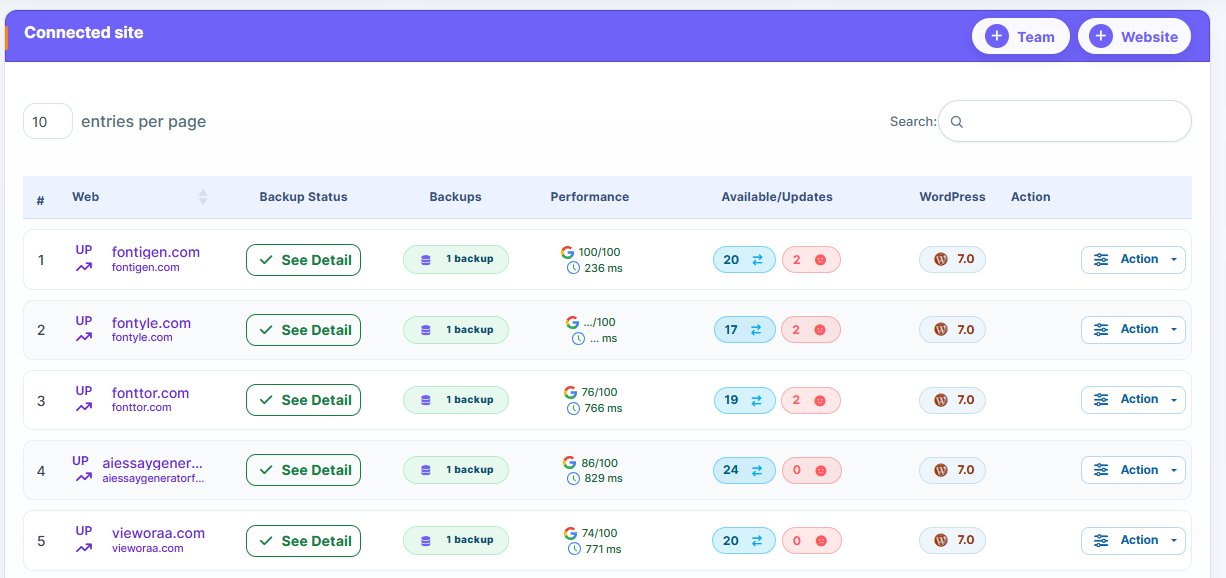
Why are freelancers, developers, and agencies looking for WP Umbrella alternatives? Once upon a time, WP Umbrella was a leading tool for WordPress site maintenance. While it still exists, users are pivoting to other options that provide more for less.
For these users, the affordability of the WP Umbrella replacements aren’t the only thing enticing them. It’s about the value the alternatives provide. With better automation, workflow efficiency and better scalability to mention a few, most of the latest WordPress management tools are making the established ones look outdated.
However, when choosing a WP alternative, settle for a better option. Choose a tool that is scalable, offers better automation, and other perks that makes your website or client’s website management effortless and effective.
We understand that choosing the right WP replacement can be confusing given the overwhelming number of WordPress management tools out there. That’s why we created this post. Here, we handpicked 8 alternatives to WP Umbrella worth considering.
Check them out below:
Why Should You Care About These WP Umbrella Alternatives?
If you’re managing a single website and devote all your time to that website’s daily maintenance task, then you don’t need a WP alternative. Another condition is when your website or security of your clients’ websites isn’t a priority to you. But you know that isn’t possible.
The cost of a data breach is huge. It can damage an agency’s reputation and destroy the client’s business. IBM’s cost of a data breach report clearly exposes how huge the cost is. It reveals that a data breach cost an average of $4.5 million.
Now you can see why using a reliable WordPress management tool is important. There’s a need for you to monitor your clients’ websites effectively. Hackers are always lurking around and would strike whenever they spot an opportunity.
Efficiency in managing the multiple WordPress sites under your agency’s care is another reason to choose a reliable and efficient WordPress management platform. A Kinsta’s studies reveals that agencies managing multiple WordPress websites spend 30 – 40% of their time on maintenance tasks.
If you’re managing multiple WordPress websites, you can automate every single maintenance task. You can automate the backup, monitoring, and update. With a single push of a button, you can update plugins and themes for several WordPress sites from a centralized dashboard.
While WP Umbrella is a decent WordPress management tool, it does have several limitations. Unfortunately, these limitations are hidden. Most users only discover them after prolong use.
What are these limitations?
The most obvious is the lack of advanced workflow automation, an issue advanced users face. The lack of automation requires manual intervention, which can increase a user’s workload. No modern client wants to experience such.
Convenience is one of the reasons people go after WordPress management platforms. So, we expect WP Umbrella to do better.
Reporting is another limitation the platform has. Its reporting might not suit larger agencies. The limited customization makes it difficult to create client-specific reports, something agencies managing multiple WordPress sites need.
Performance also varies and depends massively on usage. There are complaints regarding performance declining as the number of sites increased.
Other limitations include too many bugs, and frequent settings changes to mention but a few.
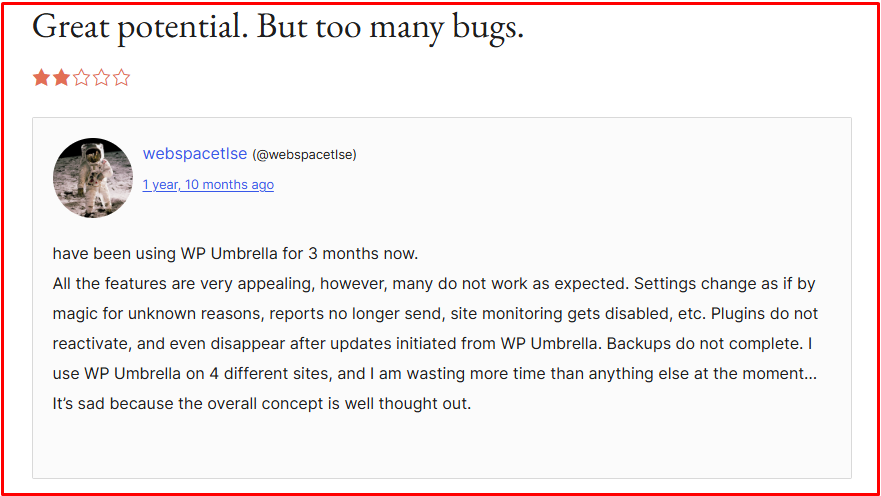
Here’s a complaint left by an unsatisfied user who has spent 3 months using the platform.
Understanding these challenges is crucial for agencies, freelancers and developers looking for a decent WordPress management tool. That’s why we took the liberty of pointing out these limitations.
Common Mistakes Most People Make When Choosing A WordPress Management Took
WordPress management tools are built to improve efficiency, save time, and make managing multiple WordPress sites a breeze. But you can only get such benefits when you choose the right tool.
Here, we highlighted several mistakes people make when choosing WordPress management tools (or other tools in general) that can be avoided. Check them out below!
- Paying much attention on the cost of the tool:
While choosing a cheaper WordPress tool can help lower cost of operation, neglecting the value of the tools can be an issue.
For example, while most tools are cheap, they make automation that improves efficiency and saves time. You’ll need manual intervention for tasks you can easily automate. This consumes time and make managing multiple WordPress sites a hassle.
A Harvard Business School review study reveals that businesses that prioritize cost of a tool over value end up experiencing reduced efficiency. This applies to WordPress management tools. Choosing a WordPress management tool that lacks features like automation can reduce efficiency and increase time spent on routine tasks, even the basic ones.
You can find cheap tools that deliver value. There are several cheap WordPress management tools that support automation, uptime monitoring, reporting and other features you can only find on premium tools.
What’s the point we’re trying to make?
Your focus should be only on the cost of the tool. It’s okay to splash the cash on a cheap tool. But, consider the value (features) the tool possesses. Does it support automation and other features that will make you more efficient? If your answer is yes, and the tool is budget-friendly, then you have hit a jackpot.
A Handy Tip:
Choose a tool that is scalable. Note that most tools break and can’t work smoothly as the number of connected websites increase.
Choose a scalable WordPress management tool if you plan to add more websites over time. Otherwise, you could end up jumping from one tool to another, which can be time-consuming and expensive.
- Ignoring Scalability:
The scalability of the WordPress management tool is another factor many people overlook when choosing WordPress management tools. Most people don’t think about the future. They choose tools that can meet their current needs.
As long as the tool can handle the current number of websites under their care, they are fine. But no growth-oriented agency, freelancer or developer should ever think that way.
According to Statista, the number of WordPress websites on the internet will continue to grow every year. Statistics shows that WordPress leads the CMS market share by having 62.8% compared to Shopify’s 6.5%. For the record, Shopify is WordPress’ closest competitor.
The yearly increase in the number of WordPress website as stated by Statista is a blessing in disguise for agencies and freelancers managing WordPress websites for clients. It means they will have more websites to manage, and generate more revenue.
Unfortunately, agencies and freelancers using scalable WordPress management platforms will have an advantage. Those whose site management tools can’t scale will have issues handling more websites.
A Handy Tip:
Choose a scalable WordPress management tool. Another focus should be on price scalability. The price of using most tools increases as users add more websites, increasing usage cost for agencies and freelancers.
Consider price scalability when choosing WordPress tools. In other words, does the tool’s price increase with increase in the number of websites? Check properly before splashing the cash.
Choosing a WordPress management tool whose price doesn’t increase with an increase in the number of websites allows agencies and freelancers to grow, since there is no need of switching tools.
- Failure to test automation:
Automation is among the most valuable feature WordPress management tools have. Unfortunately, most users don’t test automation before adopting a tool.
Why is automation so important in WordPress management tools? A research by SalesForce paints a clearer picture of why automation is so important.
In the study, SalesForce claimed that 95% of IT leaders agree that automation helps businesses become more productive, efficient and saves time.
Zapier also did a study and discovered that businesses that use automated tools save 10 – 15 hours daily. Manual intervention becomes the only option in the absence of automation.
By choosing a WordPress management tool that supports automation, you can perform daily routine tasks like uptime monitoring, backup, and updates without manual intervention. You won’t lift a finger; just setup and let the tool do its work.
You can backup, update, and monitor several websites simultaneous with an automated WordPress management tool. That’s something you can’t do via manual effort.
A Handy Tip:
Always test the automation feature of any WordPress management tool before splashing the cash. Note also that while most tools have basic automation, others have advanced and are more flexible. Choosing a tool with more advanced automation gives you flexibility to automate complex processes.
- Ignoring reporting:
Reporting is another feature many users ignore when choosing WordPress management tools. Their major focus is mostly on backup, updates and other features like uptime monitoring.
For agencies and freelancers, choosing a platform that offers clear and professional reporting can be a game-changer. Reporting improves client communication, and trustworthiness.
A study by HubSpot shows that improving communication with client can boost retention rates by 5 – 25 percent. Reporting helps agencies and freelancers display results to their clients. Such types of results can make clients to trust you more.
Using a WordPress management tool with strong reporting can help agencies, freelancers, and developers track performance metrics. Databox did a survey and discovered that 78% of agencies consider reporting vital for client retention.
What’s the risk of using a WordPress tool that lacks strong reporting?
The risk is massive! In the absence of reporting tool, users need to acquire a third-party tool. Unfortunately, using third-party reporting tool will increase cost and make managing multiple WordPress websites more complex.
Best WP Umbrella Alternatives You Should Consider
Why would any agency, freelancer or developer consider switching to WP Umbrella alternatives? It’s because there are now modern management platforms built to handle the dynamic nature of WordPress management.
Switching to a good alternative to WP Umbrella can make WordPress maintenance provider more productive and trustworthy. Most of these modern management tools are scalable. You can add unlimited number of websites and manage everything from a single dashboard without compromising performance.
Now, let’s look at the different WP Umbrella starting from the most desirable to the least desirable.
- WP Managify
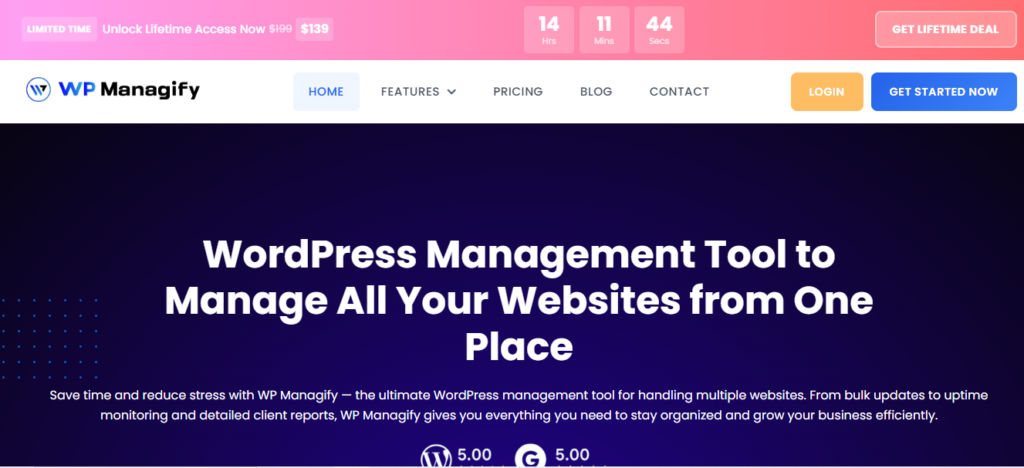
If you’re seeking an all-in-one SaaS management solution, WP Managify should be one of the options on your list. It focuses on WordPress management, unlike several options that are trying to be jack-of-all trades.
A comprehensive WordPress management solution, WP Managify simplifies workflows, while giving you access to powerful tools for monitoring and automation. That’s why it’s a decent choice for agencies and freelancers.
From a centralized dashboard, you can manage multiple websites efficiently. No need logging into different websites individually. Just login to your WP Managify dashboard and manage your sites.
The platform also emphasizes automation, allowing you to automate routine tasks like update, backup and monitoring. This saves time, and improves productivity. It allows agencies with small team size to manage unlimited number of websites.
Onboarding is quick and easy because of the platform’s simple user interface. The interface makes it ideal for non-technical and even advanced users.
The platform’s security and monitoring tools are among its core strength. You can monitor website performance and health round the clock. It identifies security threats or poorly performing websites quickly, so you can fix the issue. This move helps reduce downtime and can instill confidence in your clients.
WP Managify continues to evolve with new and improved features. This helps ensures it stays competitive in the market and deliver value to users. The constant updates are beneficial, as it increases the likelihood of having access to premium tools for site management.
Agencies and freelancers seeking an all-in-one WordPress management solution will fancy using this platform. While it prioritizes simplicity, it comes packed with powerful tools.
The Key Features:
- Provides a centralized dashboard (one interface) for managing multiple sites.
- Automates backups, updates and websites monitoring
- Proficient multi-site WordPress management tool
- Security monitoring helps detects vulnerabilities and notifies users
- Advanced reporting tool provides insights that shows clients state of their websites and management services
- Scalable without usage cost increasing or performance compromised
- Backup schedule (full or incremental backup) with time and date
What I Admire About This Tool:
- It’s so easy to use
- Automation features are strong
- Gives you centralized control
- You can scale without cost increasing
- Regular updates makes it competitive and reliable
- Good reporting enables easy creation of white label reports to clients
What Needs Improvement:
- Advanced features may require some learning
- Tool is still growing in terms of market presence
- InfiniteWP:
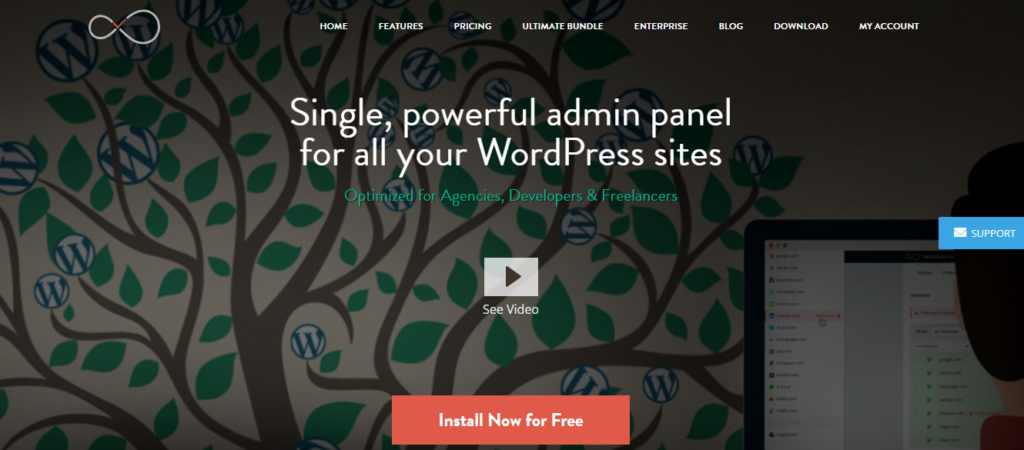
InfiniteWP is self-hosted. It means you will have total control over your infrastructure. That’s what most users want.
Unlike SaaS solutions, the dashboard is installed on your own server. This gives you total control and ownership of your data.
Like other WP Umbrella alternatives, InfiniteWP provides a centralized dashboard for managing multiple websites. It simplifies daily management routine tasks like website updates, backup and monitoring, reducing manual efforts.
Add-ons system makes it customizable. You can extend its functionality based on your use case.
Security is one of the platform’s core points. Because it’s self-hosted, users have absolute control over security measures. But keep in mind that unleashing the platform’s full security and maintenance potential requires technical knowledge.
The platform supports automated backups too. This ensures backups are created constantly for the managed websites, making recovery a breeze.
Keep in mind that hosting environment impacts the platform’s performance. You need a well-optimized server to achieve exceptional performance.
The interface is another letdown for this tool. While it’s functional, it feels outdated compared to modern management tools.
Key Features:
- Features self-hosted dashboard that gives absolute control over data and environment.
- Supports automated backup and easy restoration.
- Bulk update feature lets you update themes and plugins of multiple sites simultaneously.
- Offers full control over security settings.
- Features monitoring tools for tracking website health.
What I Admire About This Tool
- Scalable
- Tool is customizable
- Offers total control over data
- Boasts reliable backup system
- Platform is developer-friendly
What Needs Improvement:
- Should be made simpler
- Requires strong technical knowledge
- Quite complex to setup and use
- Interface feels outdated
- Add-ons can increase cost of usage
- WP Remote:

A cloud-based WordPress management platform, WP Remote stands out for its simplicity and basic features. It’s one of the WordPress management-focused platforms serving small site management agencies and freelancers across the globe.
With WP Remote, you get a centralized dashboard to manage your websites. You can initiate updates, backup, and monitoring for multiple websites simultaneously.
Clean and simple interface makes the platform beginner-friendly. Onboarding is equally a breeze, as it doesn’t require complex technical setup.
Security is one of the reasons website owners hire agencies and freelancers to manage their websites. It’s another feature integrated into WP Remote. It monitors your website and alerts you when there’s a threat. This helps reduce downtime and make you a reliable WordPress site management service provider.
Uptime monitoring is another feature the platform supports. It monitors websites availability in real-time, alerting you when a site goes down. This helps in reducing downtime.
While WP Remote’s simplicity makes it desirable, its lack of advanced workflow automation limits its usefulness for large agencies. It is considered a decent choice for smaller setups, though even small agencies are seeking scalable management solutions these days.
The Key Features:
- Features centralized dashboard for managing multiple websites.
- Uptime monitoring tracks website available in real-time.
- Cloud-based, doesn’t require hosting
- Supports bulk plugin updates
- Performance monitoring tracks website speed.
What I Admire About This Tool:
- Boats simple interface
- Shallow learning curve
- Features decent uptime tracking
- Lightweight WordPress management tool
What Needs Improvement:
- Features basic reporting tool
- Advanced features unavailable
- Not the best choice for larger agencies
- Platform features limited automation and integrations
- MainWP
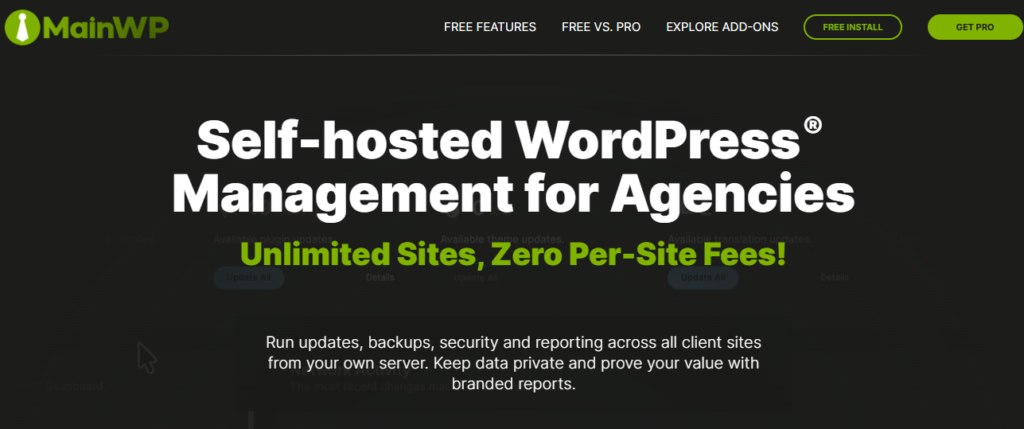
This self-hosted website management platform offers you something unique – ability to control your own data. It lets you manage multiple websites from your own server.
Managing websites on your own server gives you absolute control over your data and environments. This improves privacy, and control.
The platform’s ability to support a wide array of extensions makes it versatile. You can even customize your setup based on your unique needs.
While MainWP’s self-hosted nature is an advantage for users seeking absolute control over their data, there are issues one can’t ignore. Being self-hosted means you need to install the platform on your server.
That said, hosting quality can have direct impact on performance. Quality hosting is required for optimal performance. That’s one of MainWP’s drawbacks.
Another issue with this self-hosted management platform is how technical and complex setup can be. You need deep technical knowledge to setup and even maintain the tool.
Security is managed by you, unlike SaaS solutions like WP Managify that automates everything. So while this gives you absolute control, it comes with added responsibility.
While the platform’s interface is functional, it might feel outdated to most users. Beginners may also find the interface to be too complex. Besides, it’s not even a beginner-friendly WordPress management tool.
This platform supports bulk updates and website management. You can update plugins and themes for multiple websites simultaneously, making you more efficient.
Agencies handling large portfolios may find this platform a good fit. It can handle large portfolios, though pricing increases with more add-ons.
Overall, if you want total control and a customizable WordPress management platform, MainWP will make a decent choice. However, being complex makes it more suited to experienced users.
The Key Features:
- Self-hosted management tool that gives you total control
- Full responsibility for security setup and control
- Open source core offers additional flexible and transparency
- Features reporting tool for generating client reports
- Supports bulk updates
What I Admire About This Tool:
- Features strong community
- Users have absolute control
- Platform is highly customizable
- Tool is developer-friendly
- Boasts open-source flexibility
What Needs Improvement:
- Interface can be quite confusing to inexperienced users
- Platform requires maintenance
- Setup is too complex for non-technical users
- Tool not beginner-friendly
- Hosting influences performance
- ManageWP:
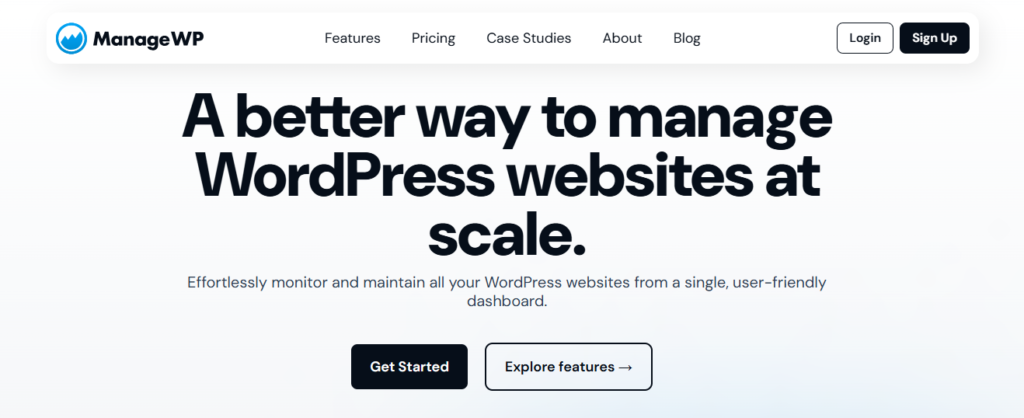
ManageWP is one of the WP Umbrella alternatives offering a freemium model with basic features. Its advanced features are hidden behind a paywall.
Upon signing up, users get a centralized dashboard that streamlines WordPress website management. From the dashboard, you can bulk update plugins, schedule backups and monitor your websites.
The platform’s ease-of-use makes it appealing to non-technical users. Set-up is equally easy and quick, as you don’t need technical knowledge.
Backup and security features are integrated into this WordPress management platform to ensure adequate protection. You can schedule backup for better data protection.
It also boasts client reporting tool. This lets you create insightful reports for your clients, enhancing communication and transparency. Clients find agencies that communicate often with them reliable. The platform’s client reporting tool makes report creation effortless.
This platform features limited automation depth, placing it a level below several WP Umbrella alternatives.
Furthermore, add-ons can increase the cost of using the tool. While it’s scalable, cost of using the tool can increase as you add more websites.
The Key Features:
- Features a centralized dashboard for multiple sites management.
- Uptime monitoring to tack website availability
- Supports bulk plugin updates
- Automates backup for data safety and easy recovery
What I Admire About This Tool:
- The platform is beginner-friendly
- Features a good reporting tool
- The platform is easy to setup
- Boasts a simple interface
What Needs Improvement:
- Features limited automation depth
- Add-ons can raise the cost of using the platform
- Tool isn’t highly customizable
- Features basic workflow tools
- WPMU DEV:
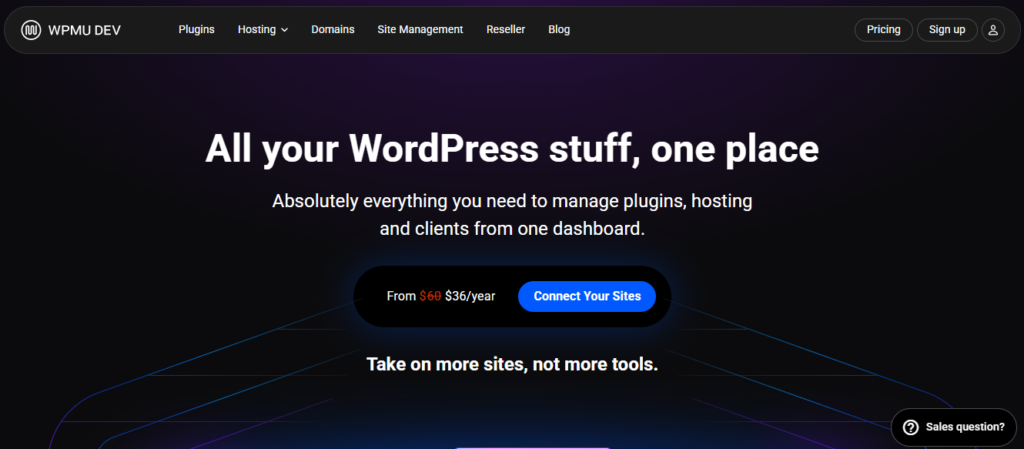
WPMU DEV is another platform considered a comprehensive option for agencies and advanced users. It blends different tools into one ecosystem. These include tools like site management, plugins and hosting.
Because WPMU DEV combines different tools into one ecosystem, its dashboard can feel confusing for inexperienced users. Navigating from one tool to another can feel overwhelming for most users.
The platform integrates features that simplify WordPress website management like security, monitoring and updates into a single interface. This reduces your dependence on external tools.
Automation is one of its core strengths. It automates functions like backups, security and updates, reducing manual intervention in website management. Automation saves time, and enables you to manage a large website portfolio conveniently.
Its reporting capability is another stand out feature. It lets you generate insightful reports for clients. This helps improve communication with your clients and make your site management agency appear trustworthy.
WPMU DEV integrates with several premium plugins to simplify website management. Among the list of plugins are Defender and Smush. This helps improve your managed sites’ security and performance.
While the platform offers a wide range of useful tools for website management, most users may fancy a more management-focused platform.
Aside from higher pricing, the platform’s limited flexibility outside its ecosystem can frustrate most users.
Furthermore, access to the full features requires membership subscriptions, something most budget-conscious users might want to consider.
The Key Features:
- Supports automated backups
- Provides centralized dashboard to improve workflow efficiency
- Features decent security tools offering firewall protection and malware scanning
- Boasts a decent client reporting system
- Offers premium plugins for security and performance
- Supports uptime monitoring and alerts users when a site is down.
What I Admire About This Tool:
- An all-in-one ecosystem
- Features decent automation
- Provides access to premium plugins
- Boasts decent security features
What Needs Improvement:
- Platform can be overwhelming for beginners and inexperienced users
- Membership required to access full features
- Pricing can be much lower (currently on the high side)
- Modular DS:
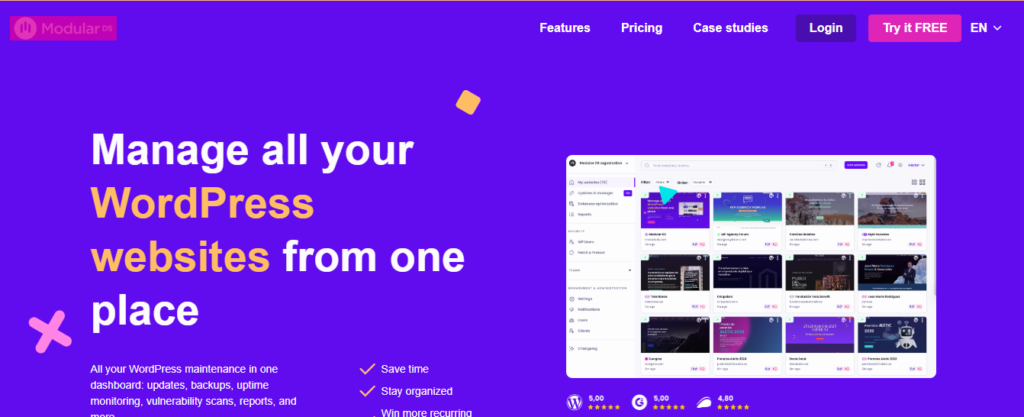
A cloud-based WordPress management platform, Modular DS focuses on simplicity and automation, though the latter isn’t as developed as most competitors.
The platform provides a centralized dashboard for managing all website management tasks like backup, updates and monitoring. It lets you automate backup and updates, reducing the need for manual intervention. You can schedule backup and updates to run at specified time and date.
Modular DS boasts a clean and simple interface, making navigation a breeze. Its interface also makes it a decent choice for beginners and non-technical users. It features easy setup and doesn’t have an overloaded dashboard like most competitors.
It comes integrated with security tool to keep your websites safe. Monitor uptime and security threats for quick response. Effective security monitoring helps prevent data breach, and prolonged downtime. Clients become happy when their websites are always active.
Modular DS also features client reporting tool, letting you send insightful reports to clients easily. The reporting tool eliminates the need to generate reports manually. Instead, the platform handles the process.
While it’s scalable, understand that pricing tiers may rise with scale. Unfortunately, this might convince most budget-conscious users to consider other alternatives.
The Key Features:
- Features centralized dashboard to manage multiple websites
- Automates updates and backups reducing manual efforts
- Features decent security monitoring capabilities
- Boasts a decent reporting tool
- Features an alert system notifying users when issues develop
What I Admire About This Tool:
- Features a clean interface
- Boast a decent reporting system
- Improved automation system
- Beginner-friendly management platform
What Needs Improvement:
- Not developer-focused
- Features basic customization
- Boasts limited advanced features
- Tool’s pricing tiers could increase as you scale
Conclusion
This post about the best WP Umbrella alternatives features a list of handpicked modern WordPress management tools that can improve your workflow. These tools were carefully selected because of their unique features, innovation and continuous upgrade.
By choosing the right WordPress management setup, you can render improved management services. Clients are seeking reputable and reliable site management professionals to handle their projects. The right management tool can make you trustworthy, and scale comfortably.
The best WordPress management solutions don’t have to be expensive. You should be able to scale without incurring more costs. Platforms like WP Managify allow users to manage unlimited number of websites without pricing increasing. That’s why it’s important to study and compare tools careful before choosing.