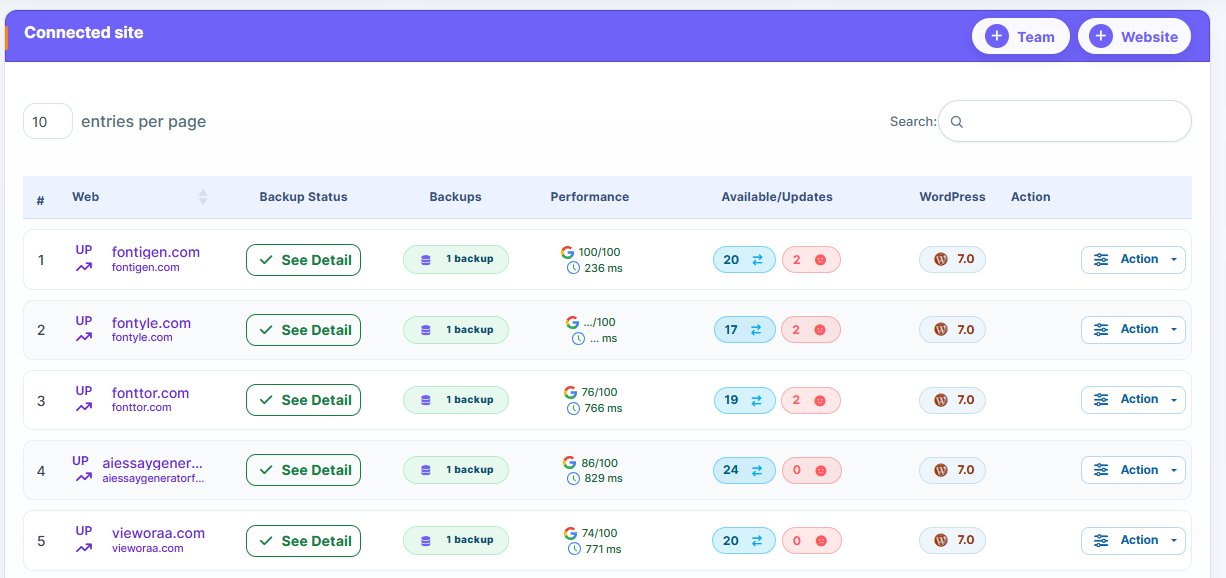
Are you looking for a better WPMU DEV alternative? Do you run a WordPress site management agency or you’re a freelancer, developer? There are numerous alternatives you can choose from.
From false reporting, dash boarding loading errors, plugin failure to poor customer support, WPMU DEV boasts several issues. These issues make them unreliable. And as a serious agency or freelancer, using an unreliable management tool can damage your reputation.
We considered several factors important for agencies’ smooth operation when managing multiple clients’ sites. These include automation, scalability, price point, monitoring, reporting, security, and several others.
So if you’re looking for a reliable WPMU DEV alternative, the options in this list are worth considering. Check them out below!
How Productivity Improves When You Choose the Right WordPress Management Tool
WordPress management tools can transform your business positively. But choosing the right tool is what’s most important.
You can scale, and deliver top-notch site management services to your clients when you choose the right WordPress management tool.
A management tool can improve your productivity. It can enable agencies and freelancers generate more revenue and build a solid reputation.
Here, we discussed the several ways using a WordPress management tool can make a business delivering such services more productive and even profitable.
Let’s dive in!
1. Centralized dashboard reduces human error in site management:
Have you ever tried managing multiple WordPress websites manually? You login to each website individually to update plugins, backup and perform other daily routine tasks.
The challenges with manual website managements are numerous. Aside from the fact that you’ll spend more time daily performing repetitive tasks on each site, there’s high possibility of human error when managing sites that way.
Additionally, scalability becomes an issue. You would need a larger team as the number of managed websites increases. But this is unsustainable.
WordPress holds the largest CMS market share, which is around 61.3%. A report by Hostinger shows that around 20,000 WordPress websites are being created daily, owing to the platform’s simplicity.
Now, that’s a lot of WordPress sites being created daily. It means increased opportunities for agencies and freelancers managing WordPress sites.
Using a WordPress management tool makes managing multiple WordPress sites a breeze. Most management tools, like WP Managify even allows you to manage unlimited number of websites despite being budget-friendly.
With a WordPress management tool, you don’t have to login to each website individually. You can manage multiple websites from a single dashboard. That includes bulk plugin updates, monitoring, security scanning, and backup. Most platforms even offer White label reporting, making it easier for freelancers and agencies to communicate with their clients.
Studies conducted on productivity tools shows the massive impact a centralized system can have on output. The studies reveal that operational workload reduces by 30% when using centralized dashboard in a digital workflow.
2. Efficient WordPress sites security monitoring:
Using a WPMU DEV alternative that renders reliable security scans is a game-changer. Security is one of the major reasons brands are hiring agencies and freelancers to manage their sites.
A report by Hostinger shows that WordPress sites face attacks every 32 minutes. Another report also reveals that outdated plugins are the cause of 95% of site vulnerability reports.
Reliable management tools provide effective security scan. They will scan your website for malware, viruses, outdated plugins and other vulnerabilities hackers can exploit. That way, you can identify and fix the issues because hackers even get the chance to attack through that loophole.
A research by Google reveals that compromised websites loose 98% of organic traffic once blacklisted. That’s why you must use a reliable WordPress management tool.
A manage tool that alerts you whenever there is vulnerability is important for timely intervention. Using such a tool will help you build trust and reliability with clients.
3. Automate updates and website maintenance:
Wordfence reports that outdated plugin is one of the top reasons for WordPress site hacking. Most people forget to update their plugins, giving hackers room to strike successfully.
How does a WordPress management tool help secure your website?
The simple answer is via automation. You not only get a chance to schedule and automate backup. You can equally automate your core, theme and plugins update.
Automation means your themes, plugins and core will update without human intervention. The only time you would need human intervention is during setup.
Automated workflow makes agencies and freelancers run more profitable venture. It enables WordPress site management providers to scale without incurring higher labor cost.
4. Improved collaboration features:
Most modern WordPress management tools allow teams to collaborate for effective site maintenance. These team collaboration features enables a large number of people to securely manage sites.
Most of the management tools support role-based access. And this controlled permission lowers the chances of security breaches or accidental changes occurring.
If you run an agency with remote teams, using such collaboration tools can prove helpful. Such tools enable smooth workflows across diverse roles.
Using tools that supports team collaboration can make a WordPress management agency function more effectively. Team members can play their roles in a coordinated manner.
Migrating from WPMU DEV without Breaking Your Clients Websites – Safe Migration Checklist
Are you considering migrating your websites or clients’ websites from WPMU DEV to other alternatives? You’ll find these tips helpful.
It’s possible to leave WPMU DEV for other alternatives without breaking your clients’ websites. But such a move needs careful planning. With proper planning, you can prevent downtime, lost backups and broken websites.
Follow the checklist below:
1. Perform full backup:
The first thing to do before migrating from WPMU DEV to other alternatives is to run complete backup. Backup all the websites before you make any changes.
What should you backup?
- Files
- Databases
- Configuration settings
Why is a complete backup necessary?
Your backups serve as your safety net. They ensure you can restore your websites to their previous working state should anything transpire during migration.
2. Audit current plugin dependencies:
Another important move you should make before migrating your sites from WPMU DEV is to review every active plugin used under the platform.
When reviewing the active plugins, check which features depend on the WPMU DEV platform’s ecosystem tools. This step is important before migration to avoid functionality loss.
Ignoring dependencies poses a serious risk. It can cause broken workflows. You can also avoid these issues through proper auditing.
3. Check for similar feature in new WordPress management tool:
Your reason for leaving WPMU DEV to other alternatives is to access better features. But that doesn’t mean you should neglect basic features like backup, updates, and security monitoring when selecting an alternative.
So ensure you replace these features properly when choosing a WPMU DEV alternative:
- Updates
- Backups
- Security monitoring
Your new tool should offer these features. However, understand that most tools don’t provide identical coverage. But you need a tool that provides such for operational continuity.
Choosing a tool that lacks these features will create a gap in your agency’s website management capabilities.
4. Test before migration:
Never migrate a WordPress website without testing. Plugin conflicts or compatibility issues can become an issue.
Test migration on a staging environment before you migrate to a live website. By doing so, you will be able to identify compatibility issues earlier. That alone can save your clients from down-time that could cost their businesses.
5. Migrate the sites gradually:
While you can migrate all your sites at once, it’s not advisable to do such.
Why is gradual migration advisable?
You’ll have better control and be able to monitor the process effectively when you migrate the sites gradually. So move sites in smaller batches.
Another reason to migrate in batches is to lower the risk of exposure. Furthermore, you’ll be able to troubleshoot without disrupting the entire operations.
6. Verify backup integrity after migration:
After successful migration, test the new management tool’s backup systems. By so doing, you can eliminate surprises when the need to backup and restore arises.
The reason for testing is to ensure backup and restore are working perfectly. Make sure that the restore points are working perfectly, as this helps in confirming data safety.
While most users skip backup validation after migration, the process is highly important. So don’t ignore it.
Backup validation gives you assurance that you can recover the website when a disaster occurs.
7. Monitor the websites for a week or two after migration:
After successful migration, another thing you need to do is monitor the websites for an extended period. You can do this for 1 – 2 weeks. Monitor the performance and uptime.
Another thing to watch out when monitoring is plugin conflicts or errors. Being able to detect such issues earlier will make website maintenance operations smooth.
The focus of this monitoring phase is to ensure stability. You want to ensure the migration process was successful and safe.
6 Top WPMU DEV Alternatives
With tons of WPMU DEV alternatives available, choosing the right one can be a game-changer. However, finding the right management tool can be confusing, giving the plethora of options available. But that shouldn’t be the case.
We have identified the best WPMU DEV replacements for agencies, freelancers and developers. Find details about each tool’s features, pros and cons to make a wise choice.
1. WP Managify: (WordPress Management-focused Tool For Agencies and freelancers):
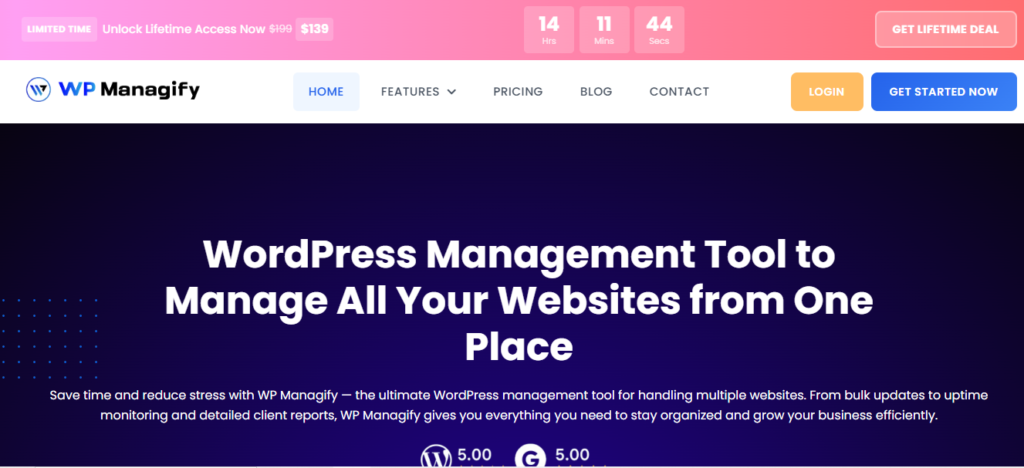
A modern WordPress management tool, WP Managify simplifies multiple website management for agencies and freelancers. In addition to offering centralized control, the platform focuses heavily on automation and ease-of-use.
From a single dashboard, you can manage multiple website installations, reducing the need to switch between tools. This helps improve productivity and reduces operational overhead.
The platform’s interface is another key strength. The interface’s simplicity and clarity makes the tool a decent choice for beginners and advanced users.
This WordPress management platform is designed with a focus on scalability. The premium plan gives you opportunity to add and manage unlimited number of websites from a single dashboard.
Unlike several other WPMU DEV alternatives, the cost of using WP Managify remains fixed when you scale. This makes it a decent choice for agencies and freelancers seeking a scalable, reliable and reasonably priced management tool.
Automation is one of the core strength of this tool. You can automate backup, plugin and theme updates, including uptime monitoring. You can even schedule backup to run at stipulated time and date.
Automating backup means you will have recent backup for website restoration. You can restore your website to its previous working state even when disaster occurs or hackers strike.
Automating plugin updates helps you block loopholes hackers can exploit to compromise your website. Automation reduces manual intervention, human error, and improves workflow.
Designed to improve performance efficiency, WP Managify avoids the unnecessary complexities older models have. This makes it a breeze for teams and non-technical users to adopt. It has positioned itself as a modern management tool to other traditional management systems.
WP Managify’s Highlighted Features:
- Features a centralized dashboard
- Website health monitoring system
- Well-built client reporting system
- Features security alert system
- Supports bulk website management
- Features user role management
- Backup integration support
- Advanced plugin and theme update automation
The Pros:
- Clean dashboard design
- Reasonably priced site management tool
- Interface is easy to understand and use
- Strong client reporting system improves transparency
- Scalable management tool for agencies and freelancers
- Lightweight architecture and fast onboarding process
The Cons:
- Smaller community support base
- Smaller ecosystem compared to other legacy platforms
2. WP Umbrella:
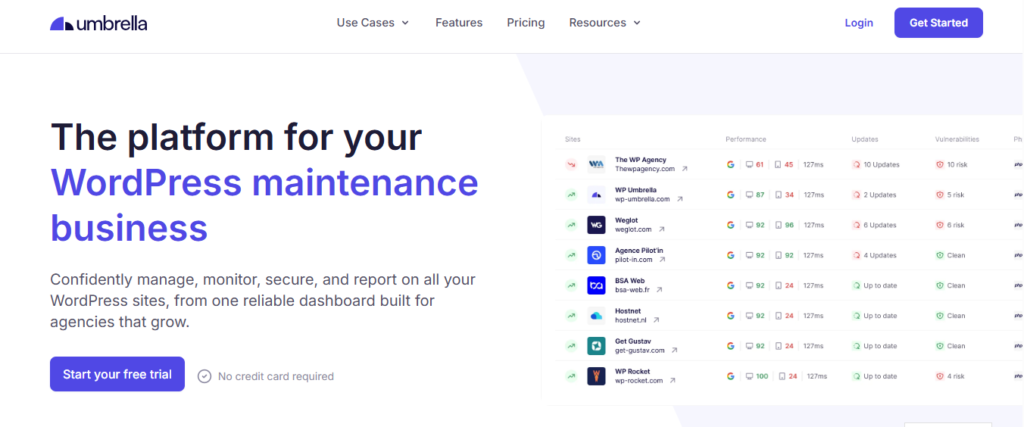
WP Umbrella’s clean and simple dashboard makes it a decent WPMU DEV alternative. The platform focuses heavily on uptime tracking, monitoring and client reporting. This makes it a decent choice for agencies and freelancers that prioritizes their clients’ website safety over automation.
The platform’s real-time monitoring for uptime helps you spot errors and respond quickly. Effective website monitoring reduces downtime. This can boost your clients’ confidence on your WordPress website maintenance services.
With a focus on reporting and maintenance automation, WP Umbrella reduces your workload. Automating client reporting means you can automatically send reports to your clients effortlessly. This reduces your workload and improves efficiency.
Being a SaaS platform, onboarding is a breeze. Connect the websites you want to manage to a single dashboard. Once done, you can start controlling the updates, monitor uptime and backup.
Error logging and security alerts are features that help you ensure websites reliability. You get security notification when there is an issue on the managed websites. This makes response quicker and easier, helping you prevent costly and reputation-damaging downtime.
WP Umbrella is a decent choice for monitoring-focused freelancers and agencies. Aside from uptime tracking, the platform also excels in client reporting automation.
WP Umbrella Highlighted Features:
- Tracks website performance
- Agency-focused reporting system
- Supports real-time uptime monitoring
- Automate theme and plugin updates
- Error logging and security alert notification
- Centralized dashboard for multiple sites management
The Pros:
- Fast setup process
- Beginner-friendly
- Reliable security alert system
- Delivers strong uptime monitoring
The Cons:
- Scalability could be an issue
- Tool focus primarily on monitoring
- Features limited advanced site management tools
- Not a complete WordPress site management platform
3. WP Remote:

A SaaS WordPress site management tool, WP Remote is another platform designed with ease of use in mind. It focuses on speed and simplicity, helping users improve their WordPress management workflows.
The platform provides you with a centralized dashboard from where you can automate backup, manage updates and monitor connected websites. This reduces your workload, so you can focus on client strategy and performance.
Onboarding is fast thanks to the platform being cloud-based. You only need to install a plugin to the websites you want to manage. That’s how you connect them to a centralized dashboard.
The platform boasts a decent update management feature. You can setup automatic update for themes, plugins and WordPress core. Effective automation reduces manual effort, enabling users with small team to manage large website portfolio.
WP Remote also has a decent uptime monitoring tool. This allows you to track uptime and website performance. Effective monitoring will enable you to response to issues quickly and prevent downtime. The platform comes designed to notify users once it spots issues on their websites.
The collaboration feature is another feature that sets the platform apart. It allows teams to work together on the same project. Role-based permission enables controlled access. This ensures management tasks performed by teams are done collectively and objectives are achieved.
While WP Remote boasts a decent number of features, it’s not a good fit for users seeking management tools that supports advanced customization. It can be a decent choice for users who prioritizes usability over technical control. These include small agencies and users.
WP Remote Highlighted Features:
- Cloud-based management dashboard
- Uptime monitoring and performance alerts
- Features team collaboration platform
- Automated maintenance workflows
- Features a centralized website monitoring system
- Features lightweight dashboard interface
The Pros:
- No setup complexities
- Lightweight performance
- Boasts basic automation features
- Features decent update system
- Fast onboarding process
The Cons:
- Not a full WordPress suite
- Pricing scales with usage
- Boasts limited advanced features
- Features limited customization options
4. CMS Commander:
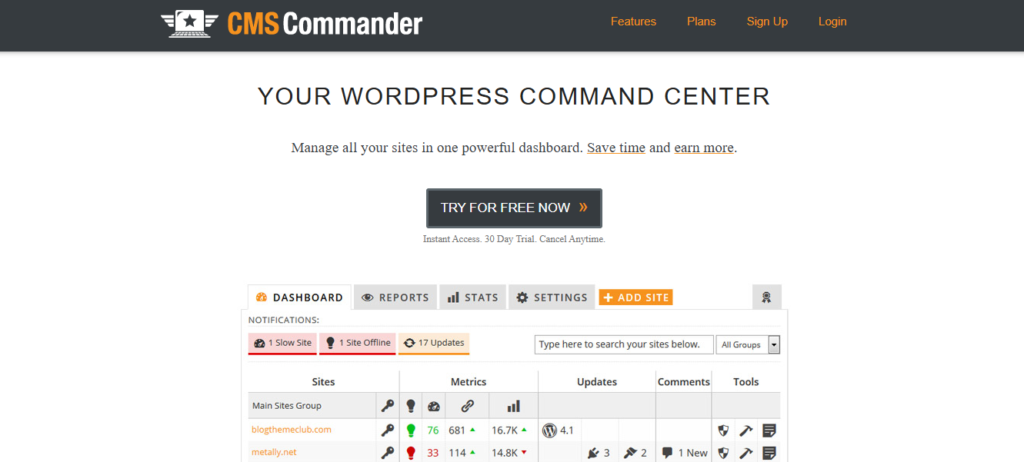
Designed for content-heavy website managers, CMS Commander focuses on bulk content operations and site management. It lets you automate bulk actions like content publishing and updates from a single dashboard.
The platform’s content management tool allows you to publish content simultaneously across different websites from a single dashboard. This eliminates the need to login into each website individually.
Users can also automate routine tasks like content publishing and schedule updates. This helps reduce manual workload, making agencies and freelancers more efficient in managing multiple websites.
While CMS Commander focuses heavily on bulk content operations, it equally offers security integrations and backup features. With decent backup tool and security features, you can ensure your clients’ websites are stable.
CMS Commander prioritizes utility over design. Compared to modern website maintenance tools, its interface feels outdated though functional. Unfortunately, most users may consider this a deal breaker.
Team collaboration is one of this platform’s core strength. You can assign roles to team members, and manage access, making it easier for teams to work together effectively.
CMS Commander focuses less on modern UX. Its major focus is on bulk efficiency. It is more suited to users managing multiple blogs or content networks.
CMS Commander Highlighted Features:
- Supports bulk content publishing
- User role management system
- Offers centralized website control panel
- Features backup integration support
- Theme and plugin update management
- Delivers SEO-focused automation features
The Pros:
- Centralized control system
- Features solid bulk management tools
- Features decent scheduling system
- Boasts SEO-friendly capabilities
- A reasonable choice for content networks
The Cons:
- Features outdated interface
- Tool not beginner-friendly
- Focus primarily on content workflows
- Pricing could increase for some users
- Features fewer recent innovations
5. ManageWP:
Praised for its simplicity, ManageWP is another WPMU DEV alternative that lets you manage multiple websites from a single dashboard. It automates backup, updates and security checks.
While access to the platform’s core features is free, advanced tools requires payment.
Onboarding is faster, thanks to the platform being cloud-based. It doesn’t require any special installation to use. You only need to connect your website to the platform via a plugin. This makes the platform a good fit for non-technical users.
The platform’s ease-of-use makes it a decent choice for non-technical users. It allows small agencies and beginners manage multiple websites from a single dashboard efficiently.
Backup and restore are among the platform’s top features. It lets you automate backup, so you can restore your website to its previous working state when disaster strikes. Effective disaster recover reduces downtime.
The platform also boasts automated client reporting, enabling you to create branded reports for clients. Automatically generate reports for your clients. Detailed reports show your clients that you’re transparent and serious brand.
Users seeking a plug-and-play WordPress management platform might find ManageWP appealing. It reduces setup complexity massively, giving even non-technical users a chance to use a site management tool.
While ManageWP is simple and boasts several appealing features, keep in mind that cost could rise significantly as more add-ons are added. Nevertheless, the platform is a decent option for users who prioritizes simplicity and speed.
ManageWP Highlighted Features:
- Features cloud-based dashboard
- Automates and schedules backup
- One-click core, plugins and themes update
- Client reporting system delivers branded reports
- Site uptime and performance tracking
The Pros:
- Decent uptime monitoring
- Boasts free core features
- Reliable backup system
- Interface is beginner-friendly
- Boasts strong automation features
The Cons:
- Limited customization options
- Advanced features requires subscription
- Add-ons increases total cost of the platform
- Features limited deep workflow customization
6. MainWP:
Agencies and freelancers seeking self-hosted WPMU DEV alternatives can check out MainWP. Being self-hosted means users have absolute control over their data and privacy. It runs from your own WordPress installation, unlike SaaS-based tools that does otherwise.
Being self-hosted means MainWP users have control over how they want their website management tool configured. This flexibility makes it a good fit for advanced users and developers. However, keep in mind that you would require technical setup and maintenance knowledge.
While MainWP is customizable and flexible, it’s not beginner-friendly. Nevertheless, it boasts a strong open source community that ensures the platform receives more improvements and add-ons.
Ability to support unlimited website connection makes MainWP one of the top management tools for developers managing large website portfolios. It’s one of the scalable WPMU DEV alternatives.
The platform’s performance is based on your choice of hosting environment. You can only get optimal results when you use a stronger server. This explains why self-hosted platforms users have more responsibilities compared to SaaS-based tools.
The platform supports monitoring, backup and updates via extensions. You can even enable each function individually, boosting flexibility.
In conclusion, MainWP is most idea for technical users seeking full control over their management platform’s customization and data. It focuses more on flexibility and less on simplicity.
MainWP Highlighted Features:
- Self-hosted WordPress site management dashboard
- Bulk updates for plugins and themes
- Supports centralized backup management
- Boasts client reporting tool via add-on
- Features website health monitoring tool
- Supports user role management for team collaboration
The Pros:
- Fully self-hosted
- Highly customizable
- Scalable for agencies
- Strong community support
- High data privacy control
The Cons:
- Requires technical setup
- UI feels less modern
- Tool not beginner-friendly
- Performance impacted by hosting quality
- Users handles maintenance responsibility
Conclusion
Agencies, freelancers and developers seeking WPMU DEV alternatives are doing so for the right reasons. These users are seeking a management tool with intuitive interface, scalable, reliable and budget-friendly.
The right management tool can improve your site management workflow efficiency. It would enable you to manage multiple websites efficiently and scale without blowing your budget.
We have handpicked several WPMU DEV replacements that automate backup, uptime monitoring, performance tracking, and even scans your websites to identify security threats. Most management platforms even send you alerts when they identify a threat, giving you a chance to react faster.