Choosing GetGlow alternatives is no longer an option; it is a necessity. It’s common for agencies and freelancers to seek smarter, better solutions for managing WordPress sites.
If you’re managing multiple clients’ websites, choosing a reliable, scalable, and secure management platform can be a game-changer. And we have handpicked alternatives to GetGlow that can enhance your productivity. Check them out below!
How Does Poor Website Maintenance Hurt Your SEO?
Most businesses only see content creation and backlink creation as critical to website ranking. They forget that website maintenance is a crucial part of search engine optimization.
Your website’s technical health is important. And that’s something proper website maintenance can help you fix. Unfortunately, most users don’t pay attention to their website’s technical health.
Without proper maintenance, your website could suffer some hidden damage. You’ll start experiencing a decline in organic traffic, ranking and users’ trust.
Google prioritizes website loading speed, user experience and security. Google will prefer to rank a website that it finds stable, secure and faster over one that isn’t.
A poorly maintained website suffers outdated plugins, themes and WordPress core files. It will likely experience slow loading speeds and broken pages, all of which can damage search engine rankings.
Poor website maintenance can harm your website SEO. Even if you have high-quality content and backlinks, you can still experience poor search rankings if you fail to maintain your website.
Now, let’s discuss how poor website maintenance actually affects SEO.
1. Slow website speed can weaken search engine ranking:
Google doesn’t joke with user experience. That’s one of the reasons it deployed performance signals like Core Web Vitals as ranking factors.
One of the things poorly maintained websites suffer most is decline in website performance. They boast outdated plugins, overloaded databases, and unoptimized media files. These things can slow down a website. They can make your website take longer time to load.
Visitors won’t wait forever for a website to load. A website with slow loading speed will experience decline in ranking and organic traffic. It might not happen immediately. But it will if nothing is done to fix the issue.
The reason is user experience. If website visitors leave even before a website loads because of the loading speed, search engines will develop a negative impression about the site’s performance.
In Google’s ranking lens, a website with negative user experience doesn’t deserve to rank on the first page. This shows why it’s important to maintain your website properly.
These are the issues websites can develop when poorly maintained. Note that these issues can slow down your website.
- Outdated themes
- Outdated plugins
- Unoptimized media files
- Broken scripts
- Excessive plugins
- Bloated databases
- Poor caching configurations
A Handy Tip: Search engines assume poor user satisfaction when a website experiences high bounce rate and low dwell time.
Here are some eye-opening statistics about page loading speed:
- According to Kissmetrics, 3% of mobile users are likely to leave a website if it takes more than 1 second to load. However, around 30% would wait for about 6 – 10 seconds before abandoning a website.
- According to Google, bounce rate can increase by 32% if a page’s loading time takes 3 seconds. If loading time jumps from 1 to 5 seconds, bounce rate can climb to as high as 90%.
- Kissmetrics reports that a 1 second delay in response time can lead to 7% reduction in conversion rate. For a business that’s generating $100,000 per day, the loss could translate to around $2.5 million per year.
BBC has even reported losing 10% of users for every additional second loading time. These losses reveal why businesses should take website maintenance seriously.
Modern WordPress website maintenance tools like WP Managify and several other GetGlow alternatives boast features that lets you track site health.
Through proper website performance tracking, you get alerted when website performance drops or there is an issue with website speed. This lets you respond speedily to resolve the issue, improve your website’s user experience.
2. Outdated plugins, themes and core can cause technical issues for your website:
WordPress websites are nothing without plugins, themes and core files. They make websites on the platform stable and remain optimized.
When you fail to give your WordPress website proper maintenance, you’ll begin to notice compatibility issues. These issues are noticeable across operating systems, devices and browsers.
Technical conflicts impact WordPress websites deeply. You will begin to notice things like layout issues, declined mobile responsiveness and script failure.
Here’s a summary of the issues outdated software can cause:
- Website crashes
- JavaScript errors
- Plugin conflicts
- Slower server responses
- Mobile display problems
- CSS rendering issues
It’s also worth nothing than more than 60% of organic traffic are from mobile device users. There are also more mobile device users than people in the world.
This explains why website owners must prioritize making their websites mobile-friendly. Keep software updated is one of the ways to maintain stable and mobile-optimized website.
Proper website maintenance doesn’t have to feel like a chore anymore. With a modern WordPress website platform, you can automate time-consuming and boring maintenance tasks.
3. Security issues can damage a website’s search visibility:
Google and other search engines don’t joke with user safety. They prioritize it above everything else.
Unfortunately, security vulnerabilities are the reward for a poorly maintained website. Outdated themes, plugins and WordPress cores are the likely entry point for cybercriminals to inject malware, or spam content into website.
While most hackers work silently, making it difficult for most website owners to detect, search engines can detect their footprint. That’s why organic traffic and ranking of hacked websites tend to drop sharply.
Here is a brief summary of security-related search engine optimization threats:
- Browser security alerts
- Phishing redirects
- Unauthorized backlinks
- Blacklisting warnings
Hacked websites lose traffic and ranking sharply. Why? The answer is simple.
Once a website is hacked, browsers alert visitors of the threat. Unfortunately, no one would want to proceed to your website once warned. They will leave and may never return to such website again.
Cleaning security-related SEO problems is never easy. It could take weeks, or months and financial commitment.
Studies shows 34% of hacked websites are as a result of software vulnerability. Hackers target outdated software, such as plugins, themes, and WordPress core to perpetrate their evil act.
Understandably, managing multiple websites manually can be tiring, time-consuming and risky. The risk stems from failure to update plugins, themes, and core timely. Errors during updates or backup can happen too. These are risks one could experience when managing websites manually.
WordPress management platforms have made managing multiple websites a breeze. Platforms like WP Managify even provide a single dashboard from where users can manage unlimited number of websites.
You can automate plugin, themes and WordPress core updates. This helps prevent incidence of software vulnerabilities in websites.
4. Downtime can hurt your website’s crawlability and trust:
Poor website maintenance can create a ton of for your websites. Among them is consistent downtime. The downtime can be caused by unresolved technical issues, unbstable hosting or expired hosting resources.
Three things can happen when your websites (or the websites you’re managing starts experience consistent downtime.
The first thing is crawlers’ reaction and the aftereffect. When crawlers visit your page repeatedly and can’t gain access, your search ranking can nosedive.
The second thing that can happen is your clients’ reaction. This is particularly for agencies and freelancers offering website management services. No client will be happy to find that their managed website is experiencing frequent downtime.
Visitors, on the other hand, won’t trust a brand whose website is consistently inaccessible. Most visitors may lose confidence and never visit such website again, considering it a waste of time.
Website downtime can have a negative impact on a website. It can negatively affect:
- User trust
- Brand reputation
- Crawl efficiency
- Conversion rates
- Organic traffic stability
- Indexing frequency
Most modern WordPress management platforms like WP Managify, WP Remote and several others are designed with uptime monitoring tools. They monitor multiple websites uptime simultaneously and alert you instantly when a website goes offline.
This allows you to respond swiftly to the issue before your clients or visitors finds out.
Proactive Website Maintenance Supports For Your Long-Term Search Optimization Growth
While strategic keyword usage, quality content and backlinks can impact search engine ranking, they shouldn’t be your only focus. Search engines like Google rewards websites it finds secure, stable, fast, reliable and mobile-optimized.
That’s why consistent and proper website maintenance is essential. It will help you protect your website’s search engine rankings, while creating improved experiences for your visitors.
Here’s what you can improve with a proactive WordPress maintenance strategy:
- Website security
- Crawl efficiency
- Website speed
- User engagement
- Mobile usability
- Search visibility
Proactive maintenance supports a long term SEO growth. It will help ensure your website stays reliable, secured, fast, and mobile-optimized consistently.
Google, for example, uses over 200 search ranking factors. That means it considers numerous factors to decide your website’s search ranking. Therefore, content and backlinks aren’t enough.
Proper maintenance helps you build a strong digital foundation that promotes better search ranking performance. And now, with the introduction of website maintenance platforms, you can even manage multiple websites effortlessly.
Best GetGlow Alternatives For Proactive WordPress Website Maintenance
If you’re seeking alternatives to GetGlow, you have made the right call. Most agencies and freelancers using the platform are already doing the same thing. They are seeking smarter, scalable, and user-friendly alternatives.
Here, we examined several replacements for GetGlow that makes it easier to manage multiple websites. Let’s dive in!
1. WP Managify:
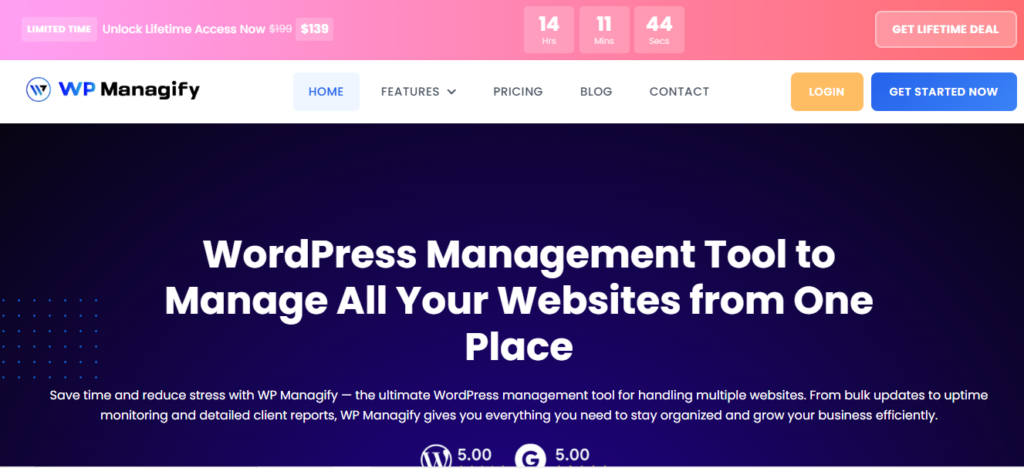
WP Managify is one of the fastest-growing and complete WordPress management-focused platforms, praised for its simplicity, automation, scalability, and reliability.
Despite its reasonable price, the platform lets you connect and manage an unlimited number of websites without compromising functionality. This makes it a wise choice for freelancers looking to transition to an agency, as well as for agencies looking to expand their website portfolios.
The platform boasts bulk update tools, which enables you to automate plugin, theme and core updates. This helps ensure better security, as software vulnerabilities are blocked even before hackers strike.
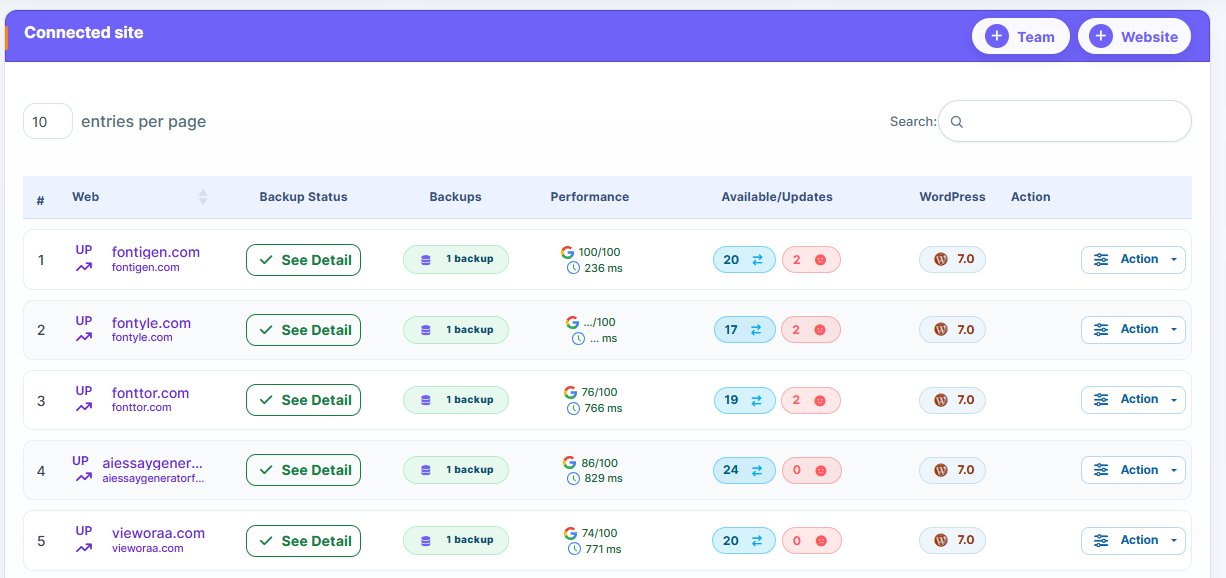
Website performance monitoring is another key feature. It helps you track website performance and health, notifies you when there’s a drop in performance. This helps you maintain consistent positive user experience, a boost to the managed websites’ search engine ranking.
With advanced uptime monitoring, you get notified when a website is down. This allows you to respond to the issue even before your client or users finds out. Effective uptime monitoring helps reduce downtime.
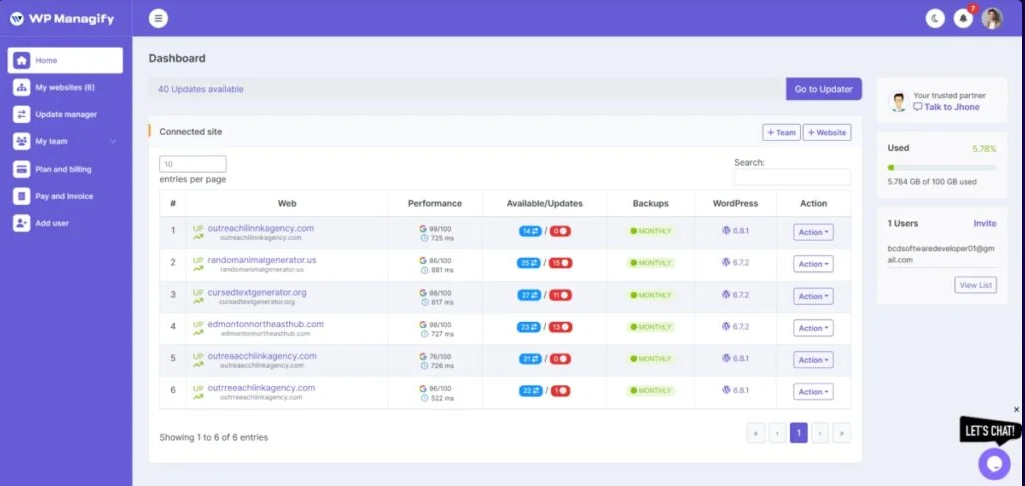
WP Managify was built with simplicity in mind. Its simplicity makes it a top choice for beginners and even advanced users. It features a shallow learning curve and easy setup. Onboarding process is a breeze, as agencies don’t need to train team members on how to use the tool.
Top Features:
- Provides a centralized dashboard (one interface) for managing multiple sites.
- Automates backups, updates and websites monitoring
- Proficient multi-site WordPress management tool
- Security monitoring helps detects vulnerabilities and notifies users
- Advanced reporting tool provides insights that shows clients state of their websites and management services
- Scalable without usage cost increasing or performance compromised
- Backup schedule (full or incremental backup) with time and date
Pros:
- It’s so easy to use
- Automation features are strong
- Gives you centralized control
- You can scale without increasing cost
- Regular updates make it competitive and reliable
- Good reporting enables the easy creation of white-label reports to clients
Cons:
- Advanced features may require some learning
- Tool is still growing in terms of market presence
2. WP Remote:

WP Remote is a cloud-based management platform popular for its simplicity and basic features. It’s a management-focused platform, a decent option for agencies and freelancers managing a small website portfolio.
With WP Remote, you get a centralized dashboard to manage your websites. You can initiate updates, backup, and monitoring for multiple websites simultaneously.
Clean and simple interface makes the platform beginner-friendly. Onboarding is equally a breeze, as it doesn’t require a complex technical setup.
Security is one of the reasons website owners hire agencies and freelancers to manage their websites. It’s another feature integrated into WP Remote. It monitors your website and alerts you when there’s a threat. This helps reduce downtime and make you a reliable WordPress site management service provider.
Uptime monitoring is another feature the platform supports. It monitors websites availability in real-time, alerting you when a site goes down. This helps in reducing downtime.
While WP Remote’s simplicity makes it desirable, its lack of advanced workflow automation limits its usefulness for large agencies. It is considered a decent choice for smaller setups, though even small agencies are seeking scalable management solutions these days.
Top Features:
- Features centralized dashboard for managing multiple websites.
- Uptime monitoring tracks website available in real-time.
- Cloud-based, doesn’t require hosting
- Supports bulk plugin updates
- Performance monitoring tracks website speed.
Pros:
- Boats simple interface
- Shallow learning curve
- Features decent uptime tracking
- Lightweight WordPress management tool
Cons:
- Features basic reporting tool
- Advanced features unavailable
- Not the best choice for larger agencies
- Platform features limited automation and integrations
3. Modular DS:
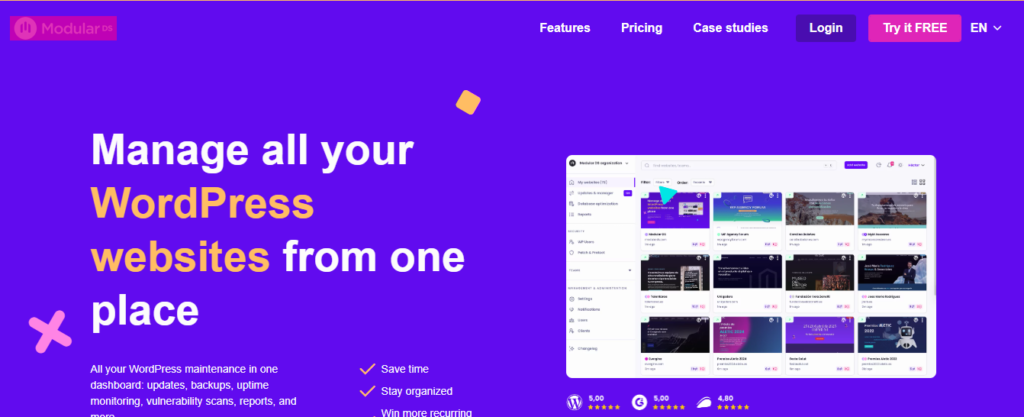
Modular DS focuses is another cloud-based platform designed with simplicity and automation in mind. Unfortunately, it automation is not as developed as most competitors.
The platform gives you a centralized dashboard for managing all website management tasks like backup, updates and monitoring. It lets you automate backup and updates, reducing the need for manual intervention. You can schedule backup and updates to run at specified time and date.
Modular DS boasts a clean and simple interface, making navigation a breeze. Its interface also makes it a decent choice for beginners and non-technical users. It features easy setup and doesn’t have an overloaded dashboard like most competitors.
It comes integrated with security tool to keep your websites safe. Monitor uptime and security threats for quick response. Effective security monitoring helps prevent data breach, and prolonged downtime. Clients are happy when their websites remain active.
Modular DS also features client reporting tool, letting you send insightful reports to clients easily. The reporting tool eliminates the need to generate reports manually. Instead, the platform handles the process.
While it’s scalable, know that the pricing tiers may rise with scale. Unfortunately, this might convince most budget-conscious users to consider other alternatives.
Top Features:
- Features centralized dashboard to manage multiple websites
- Automates updates and backups, reducing manual efforts
- Features decent security monitoring capabilities
- Boasts a decent reporting tool
- Features an alert system notifying users when issues develop
Pros:
- Features a clean interface
- Boast a decent reporting system
- Improved automation system
- Beginner-friendly management platform
Cons:
- Not developer-focused
- Features basic customization
- Boasts limited advanced features
- Tool’s pricing tiers could increase as you scale
4. CMS Commander:
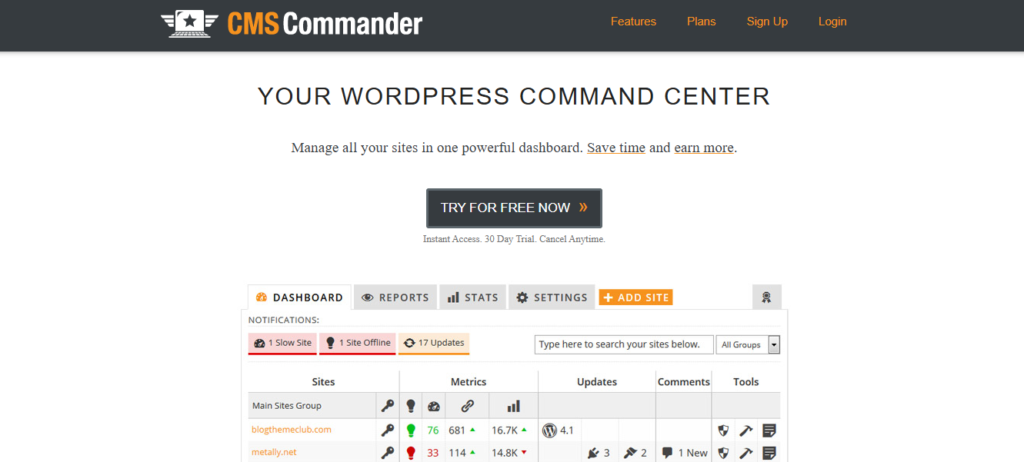
CMS Commander is a unique management tool that handles bulk operations and content management. From a single dashboard, you can manage multiple websites.
The fact that the platform focuses on content publishing, monetization and affiliate workflows makes it more suitable for marketers rather than users focused on management tools that can handle technical maintenance.
Bulk content publishing is one of the platform’s highlighted features. It lets you publish content on multiple websites simultaneously. This makes it ideal for users running niche websites. It boosts workflow efficiency, reducing the time spent publishing content on multiple websites.
While CMS Commander focuses heavy on content management, it still boasts several WordPress site management tools. These include features like backup and updates.
While CMS Commander’s backup and update features are functional, they are basic tools. They aren’t as advanced as most InfiniteWP alternatives focused on WordPress website management.
On this platform, you can update themes and plugins of multiple websites from a single dashboard. This makes it easier to manage multiple websites and block loopholes before hackers strike. Unfortunately, the platform lacks advanced safety tools available in most modern InfiniteWP alternatives.
If you’re seeking a tool that can handle technical website management, CMS Commander might not be a wise choice. However, if you’re seeking a tool with basic management features and robust content-focused workflow, CMS Commander will make a decent choice.
Top Features:
- Content automation
- Bulk content posting
- Plugin management
- Scheduled positing
- User management
- Website monitoring
Pros:
- Centralized dashboard
- Multi site control feature
- Bulk publishing capabilities
- Decent option for blog networks
- Robust content management feature
Cons:
- Outdated interface
- Limited security features
- Limited scalability for agencies
- Weak automation for site maintenance
5. InfiniteWP:
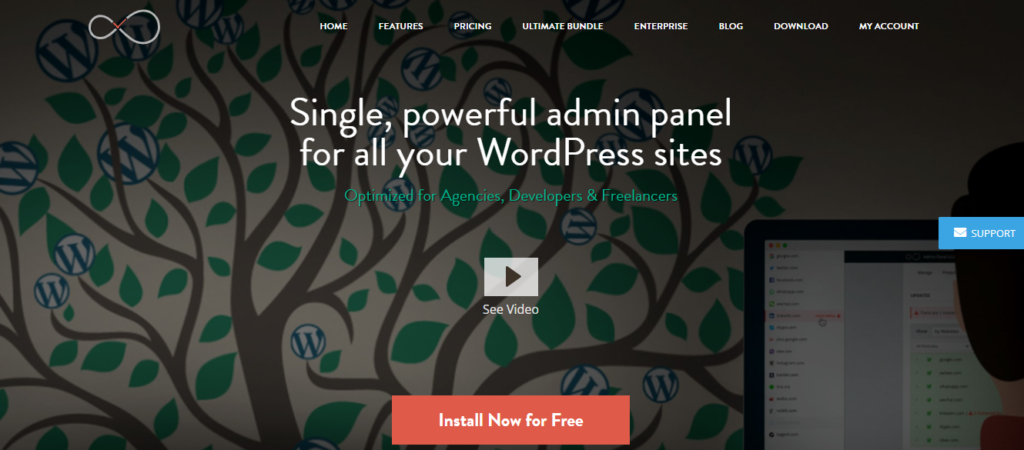
Users seeking control over their infrastructure will fancy InfiniteWP. That’s because the platform is self-hosted. But you will have to install a centralized dashboard on your own server before connecting multiple sites.
Because this platform is self-hosted, you will have absolute ownership of your data and operations. But note that you will require some technical and maintenance knowledge to use the platform effectively. Unfortunately, most users don’t have that.
Bulk updates ensures you can update plugins, WordPress core files and themes of multiple websites simultaneously. No need to login to individual websites, as you can control everything from a single dashboard.
Through premium add-ons, this platform supports backup and restore. You can schedule backups to run at specific time and store securely. This makes recovery via backup possible. Even when disaster strikes, you will have recent backups to fall back on.
Though the platform offers security monitoring, you will need extensions to access the advanced features. The security tool scans your website for vulnerabilities, helping you identify and address potential threats before they happen.
While InfiniteWP does have a security monitoring tool, it’s not as comprehensive as those seen in SaaS-based platforms like WP Managify and other solid WP Remote alternatives.
Scalability is one of the core strength of this platform. It can manage an unlimited number of websites. But keep in mind that server performance hinges on the quality of your hosting. That’s because it’s self-hosted.
InfiniteWP is a decent fit for advanced users and developers seeking a self-hosted management platform that offers absolute control over their management infrastructure. The setup and maintenance is too complex for beginners.
What Are InfiniteWP’s Key Features?
This platform boasts a range of features such as:
- Self-hosted dashboard
- Supports theme and plugin control
- Features bulk update system
- Manages an unlimited number of websites
- Boasts decent scheduling features
Why You Should Consider InfiniteWP:
- Highly customizable
- Features independent hosting
- Gives you absolute data control
- Boasts flexible though technical setup
- Can manage unlimited number of websites
What Are InfiniteWP’s Drawbacks?
Here are some of InfiniteWP’s deal-breakers
- Features outdated interface
- Doesn’t have a native cloud system
- Tool requires technical setup
- You require add-ons for full functionality
- The platform boasts limited built-in features
Conclusion
These GetGlow alternatives are designed to enable agencies and freelancers to discharge their WordPress management services effectively. They boast management tools designed for freelancers transitioning to an agency, as well as for agencies looking to scale.
Choosing an alternative to GetGlow is a smart decision, given the improved options available. Most platforms like WP Managify allow you to add an unlimited number of websites without the price increasing.
Choosing the right website management tool transforms your business. This applies to agencies and freelancers providing WordPress management services, including brands running multiple websites. With features such as bulk updates, backup automation, advanced reporting, and uptime monitoring, you can manage multiple websites more efficiently.