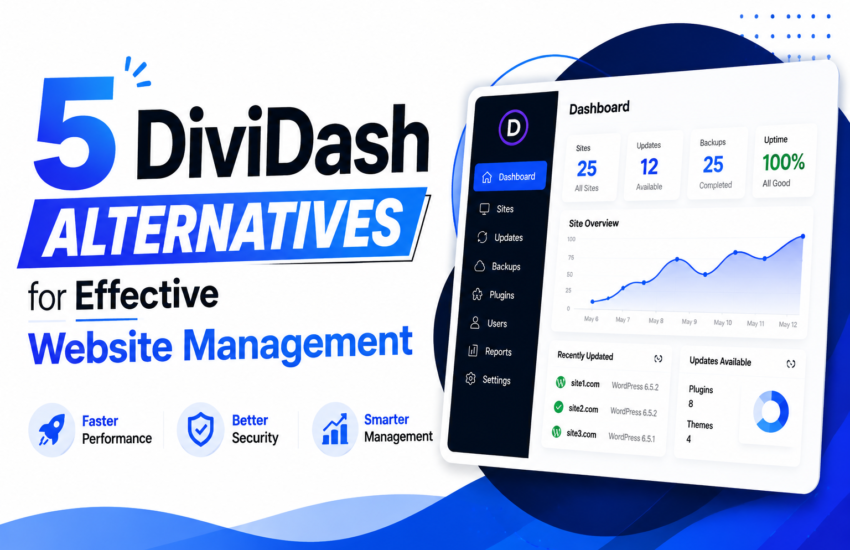
Are you seeking the best DiviDash alternatives for your WordPress site maintenance? Finding one can be confusing, given the huge number of options available. However, a careful analysis of each tool’s features, pros, cons, and pricing can help you make the right decision.
The innovativeness of some modern alternatives to DiviDash shows why agencies, freelancers, and developers are making the switch. Most of them offer superior automation, security, monitoring, and scalability, making you more efficient.
Research by Statista indicates that downtime costs businesses an average of $5,600 per minute in critical environments. This shows the need for efficient uptime monitoring, which most modern management tools have.
Here, we discussed several DiviDash replacements worth considering, starting from the most reliable. Keep digging deep for more information on these alternatives.
Security Risks of Centralized WordPress Management Systems: What Agencies Should Know
Managing multiple websites from a centralized dashboard makes the process simple and achievable. You can automate backup, updates, uptime and performance monitoring. Gartner’s prediction also shows automation tools will continue to replace repetitive maintenance workflows.
Now, let’s face it: imaging logging into multiple websites individually on daily basis to backup, update, and perform other site maintenance tasks manually.
You could either suffer burnout or risk making mistakes that could compromise your websites. Centralized management platform reduces risk of error and lets you management multiple websites with ease. They automate tasks like backups, updates, monitoring and even client report generation.
But here’s the topic most centralized WordPress management tool developers shy away from: centralized platforms’ security risk!
IBM placed the average cost of a data breach to be over $4 million. This shows why security will always remain a crucial topic
Managing multiple websites from a single dashboard presents serious security risk. If hackers gains access to the centralized dashboard (control room), all the connected websites could be compromised.
So, understand one thing – centralized dashboards boast hidden security risks.
Unfortunately, most WordPress management tools developers don’t talk about this enough.
Here, we will discuss what those security risks are, and how you can prevent them. Let’s dive in!
The Reasons Using a Centralized Word Management Solution Creates Security Risk
Centralized WordPress management tools make website administration a breeze for agencies, freelancers and developers. They help automate website maintenance tasks, reducing the need for manual intervention.
From the centralized dashboard, you can:
- Access websites dashboards
- Manage backups
- Update themes and plugins
- Monitor websites uptime
- Control user permissions
- Generate client reports
- Run security scans for your websites
So, what’s the issue about centralized management systems? What’s responsible for the security risks?
The issue is the “centralization.”
Ordinarily, hackers would prefer attacking a centralized dashboard than attacking individual websites. They know that if they succeed in accessing the centralized dashboard, they can gain access to other connected websites.
That’s why centralized dashboards are a security risk. They create a “single point of failure!”
What Could Happen If Hackers Gain Control of Your Centralized Dashboard?
Hackers gaining control of your centralized dashboard can cause huge damage. They can cause damage to the websites connected to the dashboard.
Hackers can cause varied degree of damage to your websites, based on the level of permission granted. They could:
- Install malicious plugins
- Steal customer data
- Redirect website traffic
- Access clients credentials
- Inject malware into all or some of the websites
- Lock the owner out of the website
- Create unauthorized administrator accounts
- Delete backups created to make recovery difficult
The financial consequences could be huge for agencies managing business websites, ecommerce stores or membership platforms. Tons of customers’ data could be compromised, leading to reputational damage for businesses.
Most hackers are dreadful. They operate without making noise, making it difficult for agencies to spot their tracks.
Self-Hosted vs Cloud-Based Security: Which Is The Safest?
Are cloud-based WordPress management solutions safer than self-hosted solutions? That’s a crucial question most users ask.
Before we go deeper to explain, understand that platform security depends on two things: your operational discipline and technical expertise.
Now, let’s explain how the security of both platforms compares:
Self-hosted Platforms Security:
Self-hosted WordPress management platforms give you total control of your data. Unlike cloud-based platforms, the installation is done on your own server.
Self-hosted platforms boast a steep learning curve. Consequently, they aren’t beginner-friendly. They are majorly for experienced and advanced users seeking control over their data and infrastructure.
Another thing you need to understand about these platforms is that their performance depends on the quality of your hosting. If you use a poor hosting, expect the platform to perform poorly. But if you use good hosting, the reverse is the case.
Self-hosted solutions also require technical and maintenance knowledge. Their maintenance responsibility is also on you.
Now, let’s discuss the advantages and risk of using self-hosted WordPress management platforms:
Advantages of Self-hosted Platforms:
- Better privacy
- Independent hosting environment
- Full infrastructure control
- Custom security hardening
Risks of Self-hosted Platforms:
- Poor server security
- Weak firewall protection
- User misconfiguration
- Inadequate monitoring
- Missed software updates
Cloud-Based Platforms
Here are the advantages and risks of cloud-based platforms.
Advantages of Cloud-Based Platforms:
- Easier maintenance
- Built-in redundancy
- Managed infrastructure
- Automatic security updates
- Professional server monitoring
Risks of Cloud-Based Platforms:
- Vendor-side breaches
- Third-party data exposure
- Shared infrastructure vulnerabilities
- Dependence on provider’s security practices
- Reduced control over data handling
If the provider experiences a breach, thousands of connected websites could be compromised.
Self-hosted solutions give you more control, but require far greater technical responsibility. An improperly secured dashboard could give hackers an easy entry point to the managed sites.
Excessive User Permissions: What Are the Risks Involved?
Most WordPress platforms support team collaboration. A team of trained professionals can collaborate to manage websites efficiently.
While having a team improves productivity and could be necessary as an agency scales, giving most team members too much access is a risk in itself.
Understand this: not every team member or employee need:
- Client credentials
- Access to backups
- Security settings
- Full administrative privileges
Stop giving team members full and permissions. Instead, let them have access necessary for the role they perform.
Why is this necessary? If their account becomes compromised, the damage won’t be severe.
Backup Systems: How They Become Security Weaknesses
Backups serve as your safety net. However, poorly secured backups can create another major security risk.
Agencies must understand that hackers target backup repositories frequently because they contain:
- Website files
- Customer data
- User credentials
- Database information
- Configuration settings
Backups are essential. With them, recovery becomes an issue. Sites could experience prolonged downtime, and reputational damage.
Instead of ignoring backups because of the risks, you can apply safe backup practices.
Secure Backup Practices
You can secure your backups by adhering to the following tips and best practices.
Encrypted backups:
Encryption makes backup data unreadable. Even if hackers eventually lay their hands on the data, they won’t be able to read it. That’s what encryption does.
Offsite storage:
Storing your backup offsite provides an extra layer of security. Even if hackers eventually succeed in attacking your backup facility, they won’t have access to your backups.
Limited access permissions:
Limit access permissions of your team members to your backups is an essential security measure. Not all members of your team need to have access to your backups.
Unless enabling access permission is essential for a team member to perform their role, it’s not necessary.
Backup integrity verification:
Backup integrity verification is necessary to ensure there are no surprises when the time for restore comes.
Through the verification, you will know if the backups are useful, so you can take decisive steps to address what needs addressing.
A backup system should help to strengthen your website security, not become part of its weakness. That’s why these backup best practices are essential.
Best Practices for Securing A WordPress Website Management Dashboard
If you’re using a centralized dashboard, enforcing maximum security measures should be your ultimate goal. Hackers are always lurking around websites, including centralized management dashboards.
So, whether you’re an agency, developer or freelancer rendering WordPress site management services, enforce this security best practices for management tools.
Deploy stronger authentication measures:
Using stronger authentication measures will add an extra layer of security to your WordPress management platform. And with such, hackers will find it hard to break into your management dashboard.
The steps include:
- Use a password manager
- Stop reusing passwords
Dashboard access restriction:
Having a team is great, but you mustn’t give every team member or employee full access. Doing so can be dangerous. If the device of a team member who had full access becomes compromised, hackers can gain full access to your centralized dashboard and connected websites.
Other ways you can restrict dashboard access to make it harder for hackers to strike include:
- Limiting login attempts
- Deploy IP whitelisting
- Block visitors from certain regions if need be
Ensure everything is updated
Hackers often target vulnerable software to take control of websites and platforms. That is why regular update is crucial. It helps block loopholes, preventing hackers from gaining access to the system.
So, a good way to secure your centralized management dashboard is by keeping everything updated.
Do the following:
- Regularly update the centralized management platform, and do it immediately.
- Keep a close watch on vulnerable disclosures
- Get rid of unused integrations and plugins
Keep critical systems separated:
Another way to keep your WordPress management platform safe is by separating critical systems.
Avoid storing the following in the same management environment whenever possible:
- Domain registrar access
- Hosting credentials
- Payment system credentials
Monitor activity logs:
Audit logs are another important step you can take to keep your management platform safe. It will help you detect the following:
- Privilege changes
- Suspicious AP activity
- Unauthorized logins
- Unexpected plugin installations
Use secure hosting:
If you’re using a self-hosted centralized dashboard, then ensure you use secure hosting.
The follow tips will help secure your centralized dashboard:
- Use malware scanning
- Harden server configurations
- Enable server firewalls
- Disable unnecessary services
Why Should Agencies Take Centralized Management Platform’s Security Seriously?
Using a centralized management platform to manage WordPress websites allows agencies, freelancers and developers in the business to scale comfortably. Even a small team can manage multiple websites conveniently.
Managing multiple websites manually is time-consuming, risky and unsustainable as you scale. There’s a high chance of human error or inability to attend to all the websites, which can cause an issue.
However, while using a centralized dashboard is convenient, never neglect security. Why? If a dashboard is compromised it can:
- Trigger SEO penalties
- Destroy clients trust
- Cause legal and compliance problems
- Cause agencies to incur serious financial loses
- Spread malware across the connected websites
The impact of security breach increases as you connect more websites to a centralized dashboard. But you can keep your centralized platform safe by following the tips and best practices discussed.
Hackers will always lurk around websites and centralized dashboards. So secure your platforms properly.
Use stronger passwords. Combine upper case and lower case letters, with numbers, and special characters. Make the password longer and difficult to guess. That’s another simple way to secure your WordPress site management dashboard.
5 Best DiviDash Alternatives
WP Beginner’s report that hacked websites lose their search engine ranking and traffic rapidly should make anyone take their website’s maintenance seriously. Proper website maintenance includes timely updates, backup, site health and uptime monitoring, among others.
Agencies, freelancers and developers need the right tools to effectively manage WordPress websites. With the right DiviDash alternatives, agencies can scale their operations effortless, and deliver quality services. Here are some of the alternatives we have found to be worth considering. Check them out!
1. WP Managify:
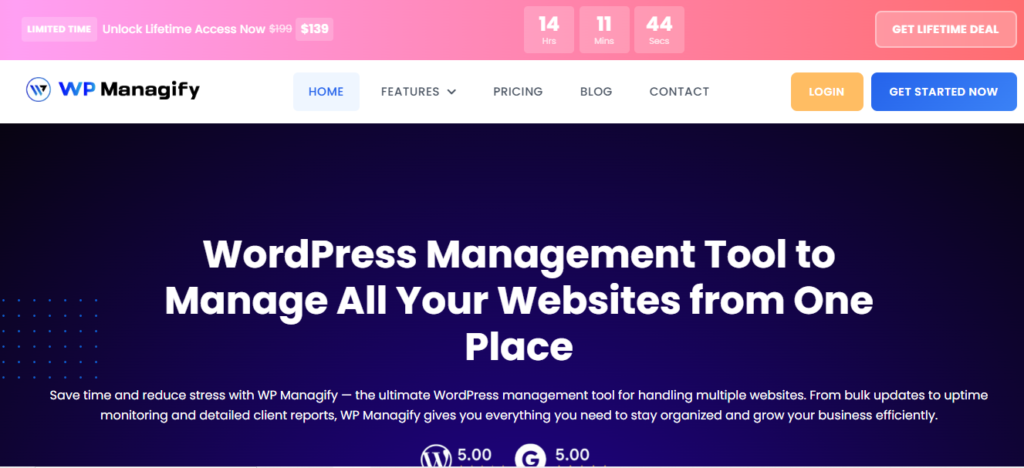
A centralized WordPress management platform, WP Managify is designed for agencies and freelancers managing multiple websites. It’s one of the management tools that scales comfortably without usage cost increasing or performance drop.
Agencies looking to manage more website portfolios can achieve their aim without switching tools. This makes WP Managify a desirable platform for growth-focused agencies and freelancers.
WP Managify prides itself as a modern all-in-one management solution, helping users reduce repetitive administrative work, while improving visibility across all connected websites. It focuses heavily on automation, white-label reporting, uptime monitoring, backup scheduling, and centralized maintenance workflows.
The platform provides uptime monitoring and boasts fast detection intervals. This allows you to identify outages early before visitors or clients do.
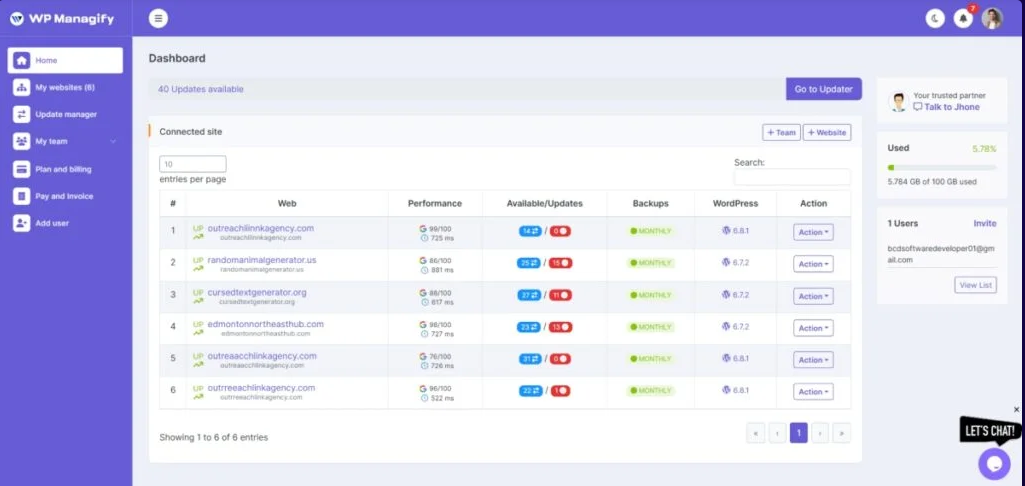
You’ll also find automated backup integrated into the system. This ensures websites are updated frequently, helping websites recover faster after update failure or cyberattack.
WP Managify is designed for scalability across multiple clients’ websites. That’s why freelancers transitioning to an agency find it valuable.
WP Managify’s Main Features
- Centralized dashboard
- Bulk update feature
- Priority support
- Modern interface
- Central monitoring
- Automated backups
- White-label client reporting
- Multi-site management
- Uptime monitoring tool
Pros of WP Managify:
- Built for agencies and freelancers
- Boasts a scalable website management structure
- Priority support on paid plans
- Uptime monitoring functionality
- Scheduled automated reports
- Bulk plugin and themes updates
- Boasts a clean and modern interface
- Features multiple pricing tiers
Cons of WP Managify:
- Features a smaller ecosystem compared to older competitors
2. MainWP:
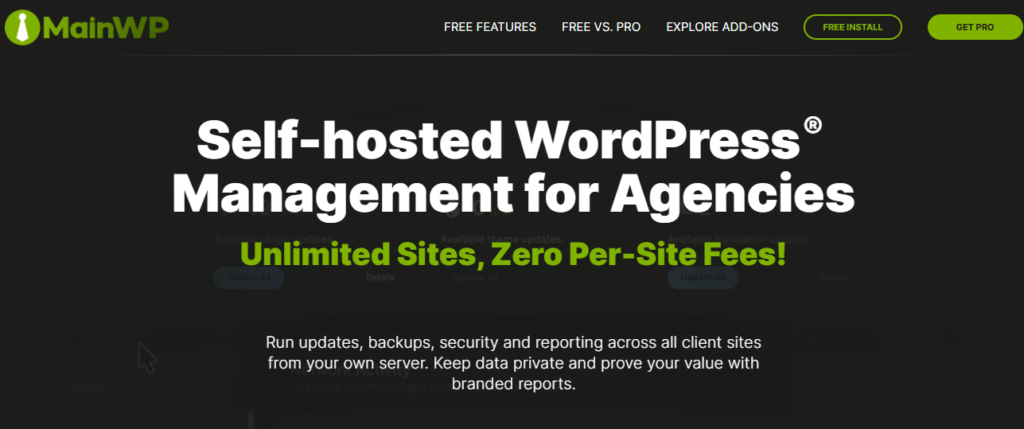
A self-hosted WordPress management platform, MainWP differs from cloud-based platforms. It gives you absolute ownership of your management dashboard, connected data and entire infrastructure.
While being self-hosted makes the platform appealing to data privacy-focused users, setup and usage can be a drawback. Usage requires technical expertise. You will also be saddled with maintenance responsibility.
MainWP supports extension-based customization. In other words, agencies can add plugins to extend its functionalities based on their needs.
It also supports security and uptime monitoring through extensions. This helps you identify downtime and other issues earlier before clients or visitors do.
User permission support is a feature of this platform. It lets you control access for your team members securely.
MainWP Main Features :
- Supports backup integration
- Platform boasts a self-hosted dashboard
- Platform boastbulk update features
- Platform has a growing extension library
Pros of MainWP
- It delivers full data ownership
- It doesnt have SaaS dependency
- Has a decent support community
- Features flexible extensions
Cons of MainWP
- Not beginner-friendly
- Technical learning curve
- Hosting reliance makes unreliable
- Maintenance responsibility increases cost
3. CMS Commander:
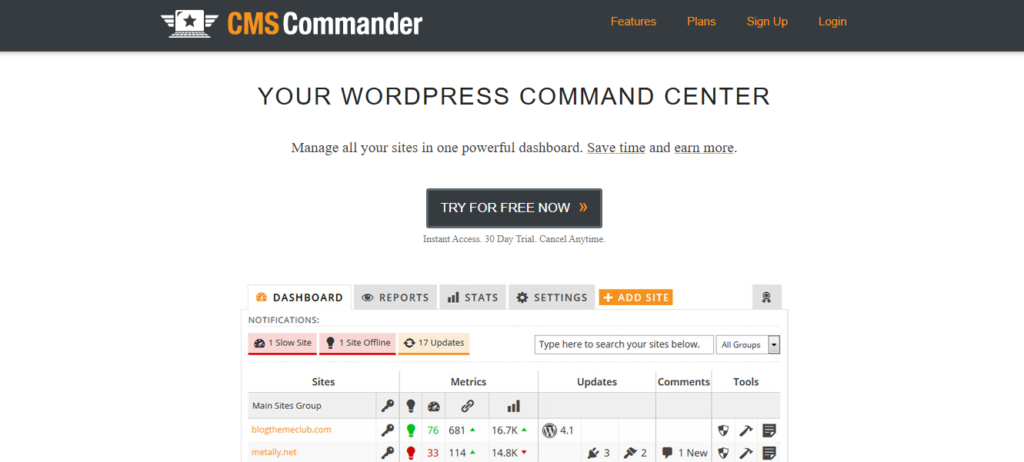
CMS Commander is another unique WordPress management platform, offering a centralized dashboard. It is built for affiliate marketers, bloggers, and agencies seeking a tool that can deliver bulk content management alongside website maintenance.
In addition to content publishing automation, the platform provides a centralized dashboard for bulk plugins and themes update. This helps you save time on repetitive tasks. Fast plugin updates also ensure software loopholes are blocked before hackers strike.
The platform also boasts automated backup functionality, helping you capture regular backups of connected websites. Regular backup enables you recover your data easily and faster after failed update, malware attack or human error.
Uptime monitoring workflows is another feature the platform possesses. It helps detect downtime quicker to enable you respond swiftly before clients or visitors notice the outage.
While the platform focuses on enterprise workflows, its major focus is on content workflows. Its interface is another deal-breaker. It feels older than several modern competitors.
CMS Commander Main Features:
- Bulk content publishing functionality
- Supports centralized multi-site management
- Automated backup and uptime monitoring system
- Centralized plugin and theme management
Pros of CMS Commander:
- Automated backup
- Uptime monitoring capability
- Supports content curation workflows
- Supports centralized website management
- Scheduled automation reduces manual work
Cons of CMS Commander:
- Limited advanced white-label reporting features
- Dashboard interface feels older than most competitors’
- Focuses heavily on content workflows
4. GetGlow:
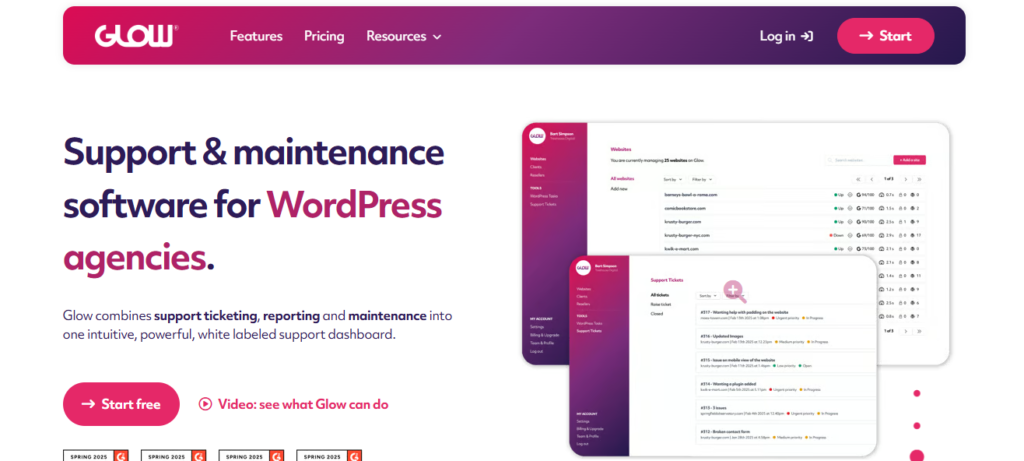
A cloud-based WordPress management tool, GetGlow’s simplicity makes it a decent choice for beginners and non-technical users. It focuses majorly on uptime monitoring, automation, centralized maintenance workflows.
Simplified onboarding process makes it beginner-friendly. It supports centralized WordPress website management.
Agencies managing multiple websites can perform varied administrative tasks like uptime monitoring, updates, and backup. This reduces repetitive tasks, improves operational efficiency and reduces your administrative workload.
The platform boasts maintenance reporting system for agencies and freelancers. Ability to generate automated reports helps agencies communicate website maintenance activities to clients more effectively. This improves transparency and reduces manual administrative communication.
Security monitoring is another feature integrated into this tool. Early vulnerability detection will help you identify risks and respond adequate before they become bigger security issues.
The platform focuses on simplicity and operational efficiency, but boasts limited advanced integration.
Pricing could be another deal-breaker for most users. Compared to most DiviDash alternatives, GetGlow boasts higher pricing plans.
GetGlow Main Features:
- Features centralized dashboard
- Supports automated plugins and themes update
- Security and uptime monitoring system
- Supports maintenance reporting workflows
Pros of GetGlow:
- Simple onboarding process
- Features modern interface
- Maintenance reporting system
- Automates plugins and themes update
Cons of GetGlow:
- Features limited advanced integration
- Not the most budget-friendly
- Growing ecosystem compared to several older alternatives
- Tutorials and community resources are still developing
5. Solid Central:
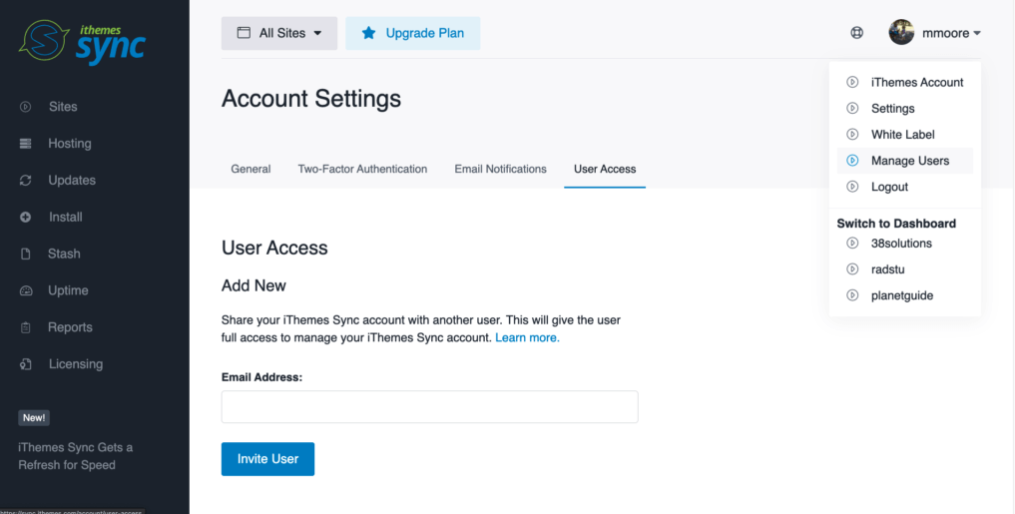
Built under the SolidWP ecosystem, Solid Central supports centralized uptime monitoring, updates, and maintenance workflows. However, its affiliation to the SolidWP ecosystem is a big deal.
Because Solid Central was developed under the SolidWP ecosystem, it integrates seamlessly with other products in the ecosystem. However, you should already be using the SolidWP backup, security and other tools in the ecosystem to get the full WordPress management functionality.
This platform also supports centralized plugin and theme updates. In other words, you can initiate updates for multiple connected websites simultaneously. This reduces the need for manual intervention and time spent performing repetitive maintenance tasks.
Solid Central features a monitoring system, helping websites stay visible online. It helps ensure speedy capturing of maintenance issues and outages, giving you the privilege to respond faster before clients and customers spot the issues.
Backup integration is another solid feature of the platform. However, the integration is available via the SolidWP ecosystem. Proper backup ensures data safety, making it possible and easier to restore your websites following disruption arising from a failed update or cyberattack.
While Solid Central boasts a decent amount of features that makes website maintenance a breeze, its enterprise scalability is surprisingly limited.
Additionally, some of the platform’s advanced features require other products from the SolidWP ecosystem. Furthermore, the platform’s less extensive advanced reporting system is another drawback.
Solid Central Main Features:
- Centralized management platform
- Bulk plugins and themes updates
- Integration with other SolidWP products
- Supports team collaboration workflows
- Decent website monitoring system
Pros of Solid Central:
- Features decent monitoring tools
- Boasts team collaboration tools for workflow improvement
- Beginner-friendly interface
- Features backup integrations
Cons of Solid Central:
- Moderate enterprise scalability
- Less extensive advanced reporting system
- Features limited third-party integrations
- Narrower customization flexibility
Conclusion
With a plethora of DiviDash alternatives available, making the right choice can be complicated for most users. That’s why we created this post to make it easier for you to make a choice when it comes to selecting a WordPress management tool that meets your needs.
Automation, backup, security, and monitoring tools are among the list of features agencies, freelancers and developers consider when choosing WordPress management platforms. Interestingly, most modern management platforms boast innovations and features that make WordPress management effortless.
From WP Managify to Solid Central, we have provided details of several alternatives to DiviDash that makes website management a breeze. You can check them out and make your choice based on the information provided for each tool.