
Why are website owners and professionals managing multiple WordPress websites seeking the best MainWP alternatives? They want a WordPress management platform with improved automation, usability and scalability.
The demand for centralized management tools are increasing steadily for obvious reasons. WordPress still powers more than 43% of all websites worldwide.
While it’s possible to manage a WordPress website manually, the process becomes error-prone, time-consuming and inefficient as site portfolio grows.
WordPress websites also face constant security threats, making efficient site management highly essential. Approximately 13,000 WordPress sites are hacked daily, with attacks taking place every 32 minutes.
Using the best WordPress management tool becomes imperative, given the high security threats WordPress sites face and demand that comes with managing multiple WordPress sites. That’s why we crafted this content.
While MainWP have been a reliable tool, users are now seeking more scalable, affordable, and more automation-focused options. Here, we manually handpicked nine MainWP alternatives based on their documented features, real functionality and practical use cases. Let’s dive in.
Understanding What MainWP Alternatives (WordPress Management Tools) Are
What are WordPress Management tools? What functions are they created to perform?
Imagine having multiple WordPress tools. Let’s say you have 20 to 50 sites (or even more) under your care.
Your daily routine would be to log in to each website daily, initiate backup, update plugins, themes, and WordPress core. Failure to do so exposes your website to the possibility of being hacked.
Hackers are always sniffing around, looking for loopholes they can exploit to take control over your website. The fact that you haven’t been attacked doesn’t mean no one (hacker) is watching or sniffing around.
Any delay in updating the plugin, theme, or WordPress core update could be fatal. Studies show plugin vulnerability accounts for 90% of all hacked websites, followed by themes (6%) and core software (4%).
How does WordPress management tool improve website’s security? Automation! That’s the simple answer.
You can automate backups and update all your WordPress websites simultaneously. No need login into different website.
WordPress management platforms make managing multiple WordPress websites possible and more efficiently. These tools enable you to manage multiple WordPress websites from a single dashboard.
Just login to your WordPress management tool’s dashboard, and that’s it. You’ll find all the linked sites displayed on the dashboard with reports such as site health, which is crucial for maintaining a healthy and functional site.
Freelancers, developers and agencies managing multiple portfolios use WordPress management tools. These tools reduce daily manual admin tasks by 30 – 50%. They save time and ensure updates are initiated timely before hackers strike.
Why Users Are Looking for MainWP Alternatives
Here, we discussed the reasons most freelancers, developers and agencies are looking for MainWP alternatives. What could be the key reasons?
- Widespread adoption of SaaS Products (A trend)
It’s no longer a secret that cloud adoption across SaaS platform is increasing.
What could be the reason? It’s simple: users are now choosing scalability and convenience over control.
A report from reliable platforms like Statista confirms this shift. The report shows that lower operational overhead is the reason cloud adoption across SaaS platforms is increasing.
- Complexities and technicality of Self-hosted setups:
Another clear reason why many users are moving away from MainWP, and seeking other alternatives is the platform’s complexity.
To use the platform, one has to install it on a WordPress environment. What does that mean for the user?
It means the hosting and configuration responsibilities will fall of them. It’s like splashing the cash on a tool that increases your responsibility, instead of doing the opposite.
Studies from Kinsta’s WordPress performance report indicate that server management’s technicalities poses as a major hurdle for non-technical users.
That is why many users are now embracing cloud-based systems. These systems don’t burden users with infrastructure maintenance. Additionally, they offer reduced technical dependency and onboarding time.
- Limited built-in growth tools:
Digital marketing studies have shown that productivity improves via integrated workflows. Users don’t need to switch from one tool to another.
Unfortunately, MainWP focuses on maintenance instead of growth or marketing tools. That makes them unappealing to most users.
Users want a mix of both worlds. They are looking for a management tool that effectively combines SEO, management and reporting.
- Performance variability:
The issue with self-hosted platforms like MainWP is that they depend on servers. That can be an issue when dealing with poor hosting. Users can experience inconsistent performance, which can hamper productivity, and undermine the safety of their websites.
According to Google Web Vital studies, hosting performance is a huge factor for web-based dashboards. It can have direct impact on their productivity.
7 Main WP Alternatives Explained In Details: Read Before You Choose
If you’re looking for a MainWP alternative that can deliver value for your money and is scalable, below are a list of options to check out.
We have handpicked these alternatives for their features. In this post, we highlighted their features, what we liked, and what we didn’t like to help you make a decision. Let’s dive in.
1. WP Managify (All-in-one WordPress Management Platform):
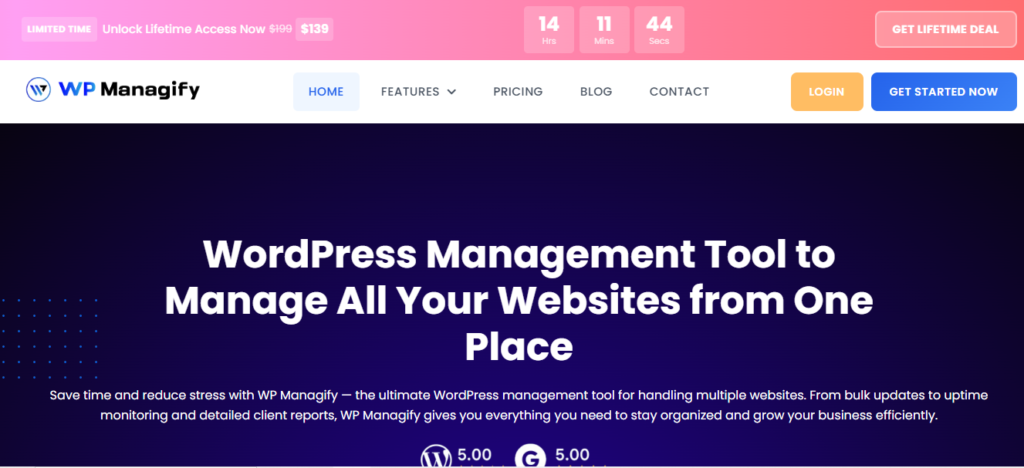
WP Managify stands tall among the long list of centralized WordPress management systems out there. It comes built to streamline multi-site workflows, allowing users to manage multiple websites effortlessly. It reduces the burden that comes with managing multiple WordPress websites manually.
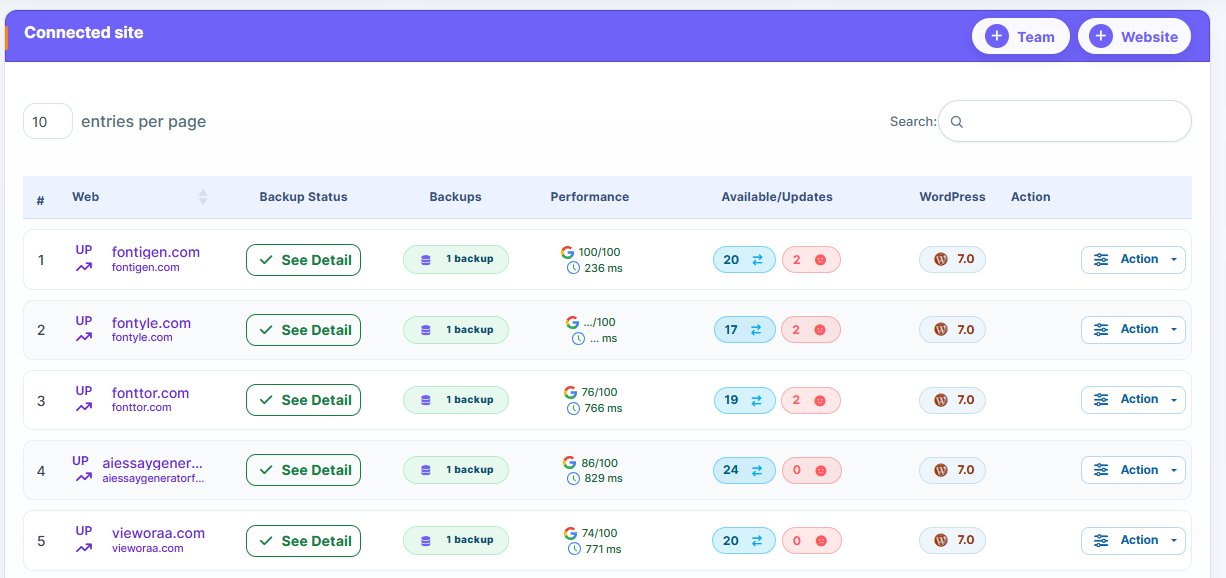
With WP Managify, you get access to a centralized dashboard to manage updates, reporting, and monitor website uptime – all in one place. This lowers the time you probably would have spent switching from one dashboard to another when managing multiple WordPress websites.
This platform prioritizes operational efficiency over complexity, making it a wise choice for structured teams. It also suits users managing growing WordPress website portfolios.
Onboard is an issue for many WordPress Management tools. Fortunately, that’s another area WP Managify excels. Its onboarding process is a breeze. The platform isn’t overly technical to setup and use like MainWP alternatives. Just create an account, add multiple websites and start managing them from a single dashboard with ease.
WP Managify’s Highlighted Features:
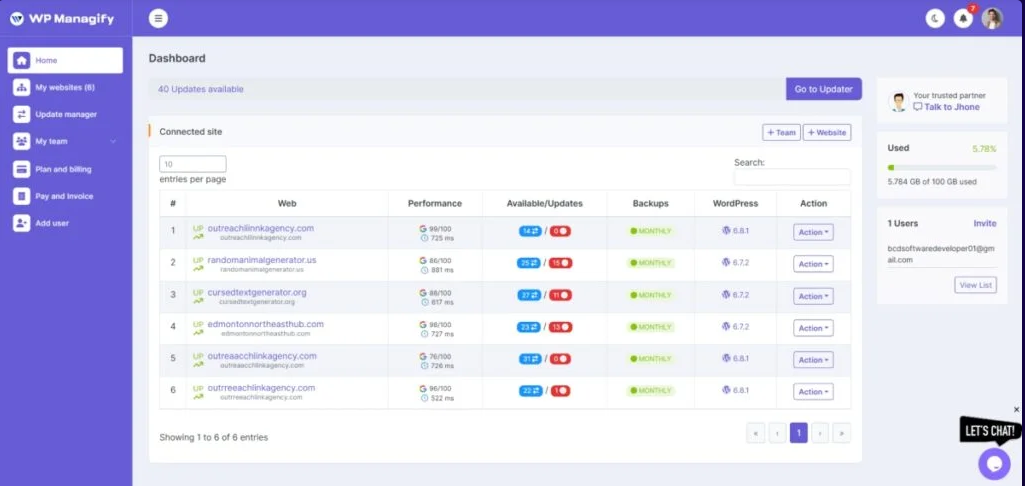
- Automated plugins/themes updates
- Specialized reporting dashboard
- Maintenance scheduling
- Supports uptime and site performance monitoring
- Centralized dashboard to manage multiple WordPress sites
Things I Like About this tool:
- Scalable
- Intuitive interface
- Reasonable pricing plans
- Consistent updates
- Users get centralized control
- Users can automate backup, plugin, and theme updates
What I Didn’t Like:
- Advanced features may require learning
- Still growing in the market place
Who Should Use It?
WP Managify is a wise choice for agencies managing multiple websites for diverse clients. It helps reduce repetitive administrative tasks by centralizing operations.
Freelancers looking to scale their service offerings will also find this MainWP alternative useful. Its automation-focused design helps reduce the time users devote to routine maintenance tasks.
People who prioritize structured workflows over fragmented systems will find WP Managify useful, since the platform is designed for operational efficiency.
Another category of users who will find this platform useful are teams moving away from manual WordPress website management. It comes designed to boost long-term scalability.
2. ManageWP:
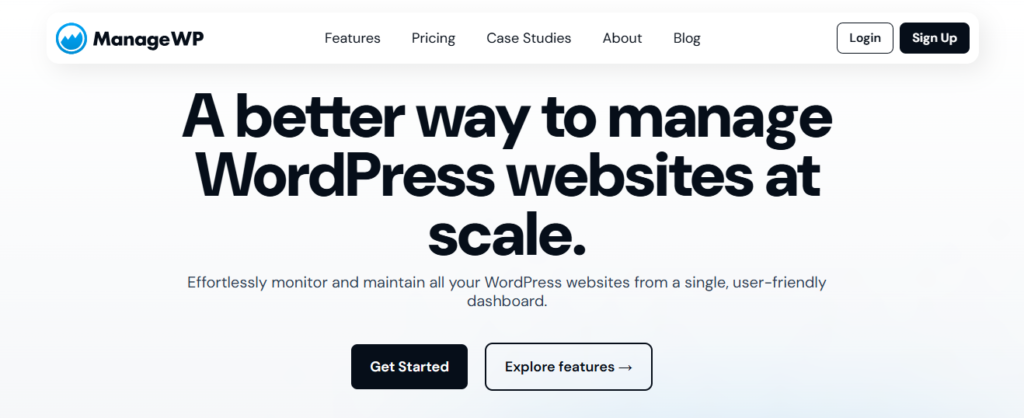
ManageWP is another MainWP alternative offering centralized control for multiple websites’ management. With a simple onboarding process, the platform makes setup and WordPress management simple. You can quickly connect your websites and manage them.
This cloud-based WordPress management platform also offers a range of useful features, such as website monitoring, plugin updates, and backup. Unfortunately, most of the features it offers require some paid add-ons, which most users may consider a deal-breaker. Why? The extra add-ons could increase the cost of using the tool.
The platform’s SaaS model means you won’t be having any hosting responsibility associated with self-hosted WordPress management platforms. This move also improves accessibility.
While ManageWP’s ease of use makes it appealing on paper, increased cost associated with using its advanced features makes it an expensive option for most freelancers, and agencies.
Highlighted Features
- Provides backup system (add-ons)
- Features one-click updates
- Supports client reporting
- Allows performance checks
- Uptime monitoring
Things I Like About this tool:
- Easy setup and use
- Beginner-friendly
- Appealing UX
What I Didn’t Like:
- Limited automation
- Add-ons increase cost
- Cost increases with scale
- Basic advanced tools
Who Should Use It?
Are you a freelancer managing small portfolios? Given ManageWP’s features, it would make a reasonable choice for freelancers in such a category. It will give you access to basic WordPress Management tools without complexity.
The simple interface also makes it a reasonable option for users new to WordPress management. It makes the tool a breeze to understand and use.
In a nutshell, if you’re a user who prioritizes simplicity over advanced workflow, ManageWP will make a decent choice. But bear in mind that the tool isn’t designed to handle large-scale automation.
3. InfiniteWP:
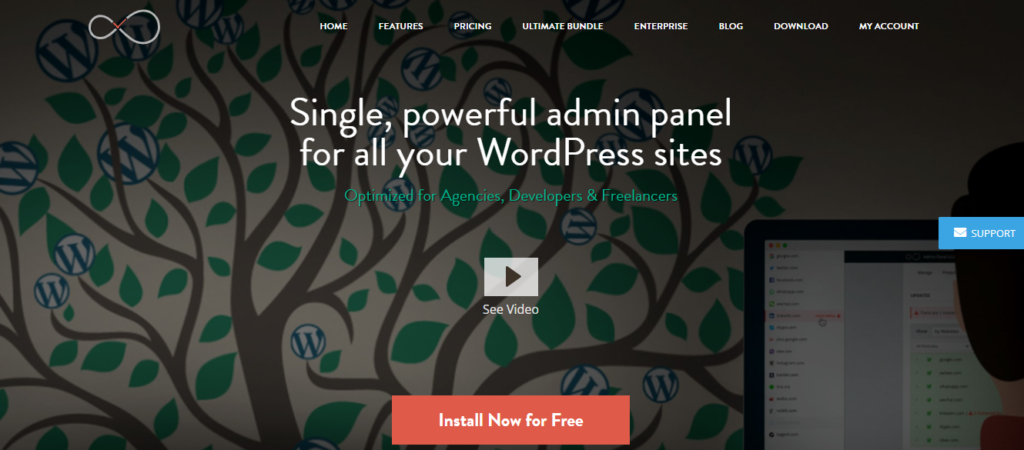
InfiniteWP is another self-hosted platform that offers centralized control. It lets you manage multiple websites from a single, centralized dashboard. But here is where it gets interesting; you have to install the platform on your own server rather than an operating system, like other SaaS platforms.
The benefit of using a self-hosted platform is the freedom users get. You’ll have control over your data and environment. But bear in mind that setup and maintenance requires strong technical knowledge.
The fact that server configuration can affect performance makes using a self-hosted platform like InfiniteWP a huge risk. How? If you’re using a poor hosting, usability could be negatively impacted.
However, users seeking independence from SaaS platforms prefer self-hosted platforms like InfiniteWP. But, before you dive in, understand that self-hosted WordPress management systems are quite technical to setup and manage, and could be unreliable. Consequently, they aren’t suitable for beginners.
InfiniteWP supports website monitoring, bulk updates, and client reporting. You will have access to these features all in one place.
Highlighted Features
- Supports website back and restore
- Self-hosted WordPress dashboard
- Supports one-click admin login
- Multi-site control interface
Things I Like About this tool:
- Decent platform for developers
- You have absolute control over your data
- Highly customizable option
What I Didn’t Like:
- Highly technical to setup
- Scalable but requires strong hosting
- Limited built-in automation
- Hosting maintenance responsibility
Best For:
Most advanced users, including developers, might find InfiniteWP appealing. One reason is control over data. Because it’s self-hosted, users have absolute control over their infrastructure. But that comes with some responsibilities such as hosting maintenance and setup technicality.
Agencies with a solid in-house technical team might also fancy InfiniteWP. The team can handle the technical requirements of setting up and managing the platform. But this comes at a cost. Managing a technical team isn’t cheap.
While the platform boasts several benefits, users considering using it must understand that it’s not ideal for non-technical users or beginners. One reason is the setup and use. Setup is quite complex and requires a great deal of experience.
4. WP Umbrella:
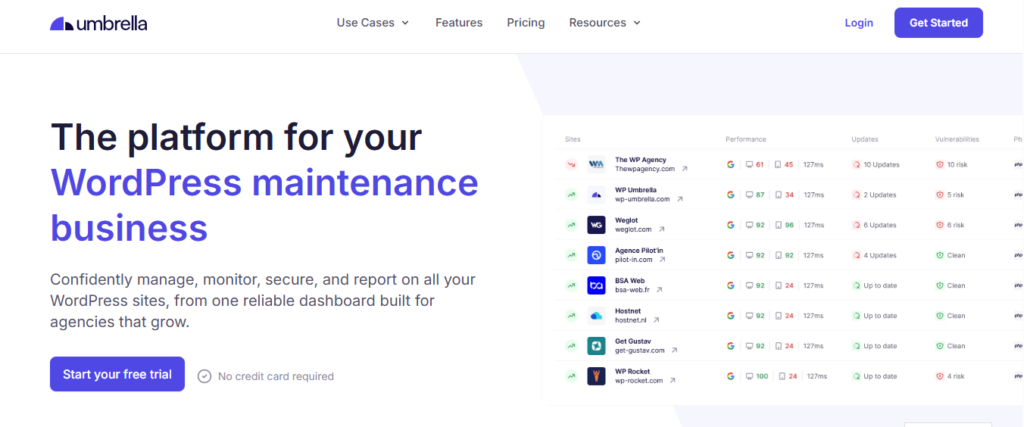
WP Umbrella is another SaaS-based management platform, ideal for client-focused workflows. The platform focuses primarily on website monitoring, maintenance, and reporting.
With this platform, you can monitor your websites in real time. It lets you track website health from a single dashboard, boosting operational visibility.
Its simplistic design makes onboarding and use a breeze. This helps beginners save time and energy by avoiding the hassle of learning to use a new tool.
The platform improves efficiency by automating maintenance and reporting tasks. This helps users save time spent on doing repetitive tasks on a daily basis.
While WP Umbrella boasts many features, its high price and limited customization can be a deal-breaker for many. With other MainWP alternatives offering more value for less, most users may turn their attention to other options.
Highlighted Features
- Maintenance logs
- Website health tracking
- Website performance monitoring
- Features an uptime monitoring system
Things I Like About this tool:
- Simple onboarding process
- Features a decent reporting system
- Requires minimal technical setup
- Decent website monitoring tools
What I Didn’t Like:
- Boasts limited customization
- Features fewer integrations expected
- Focused mainly on website maintenance
Who Should Use It?
WP Umbrella is another decent MainWP alternative for agencies managing several clients’ websites. It’s simple interface and minimal technical requirements make it a beginner-friendly option.
Onboarding on WP Umbrella is quite easier and faster. And that makes it suitable for beginners. Teams that have a soft spot for SaaS platforms might fancy using this tool.
Freelancers with moderate client portfolios might find this platform appealing. The fact that it can streamline reporting makes it a decent choice. It will help users communicate with their clients much faster and more clearly.
While WP Umbrella is a decent beginner-friendly WordPress management tool, it isn’t suitable for most users. These include users seeking a WordPress management tool with deeper customization. Unfortunately, WP Umbrella is more focused on simplicity than flexibility.
5. WP Remote:

A lightweight WordPress management tool, WP Remote is the kind of tool that suits users looking to perform essential website management tasks. It features a simplified dashboard that makes managing multiple WordPress websites straightforward for beginners.
Website backup, updates and monitoring are among its core features, though the latter is basic for the price. Notwithstanding, setup is straightforward and quick, making it a beginner-friendly MainWP alternative.
WP Remote was designed with simplicity and usability in mind. It is clear from the tool’s design, features and operations that the creators didn’t intend it to function as a full enterprise tool.
The platform makes a decent choice for small-scale website owners and beginners. Ease of use is prioritized over advanced functionality.
Highlighted Features
- Basic reporting
- Supports uptime tracking
- Features backup functionality
- Supports bulk update system
- Security monitoring
Things I Like About this Tool:
- Fast setup
- Low complexity
- Boasts clean interface
- Shallow learning curve
- Platform is a breeze to use
What I Didn’t Like:
- Boasts minimal automation
- Has limited advanced features
- Not a good fit for agencies
- Features basic reporting tools
Who Should Use It?
If you’re managing a small website portfolio or run a small WordPress website management business, WP Remote could make a decent choice. It gives you access to basic WordPress management tools, saving you from the complexities other advanced competitors have.
WP Remote is also a decent choice for freelancers handling limited website portfolios. It makes website maintenance tasks simple, boosting your efficiency.
While WP Remote is a decent platform, it’s worth noting that it’s not a wise choice for agencies and developers seeking advanced management platforms.
This platform is not designed to handle large-scale operations. Its large of advanced automation is limiting its growth potential.
6. Solid Central:
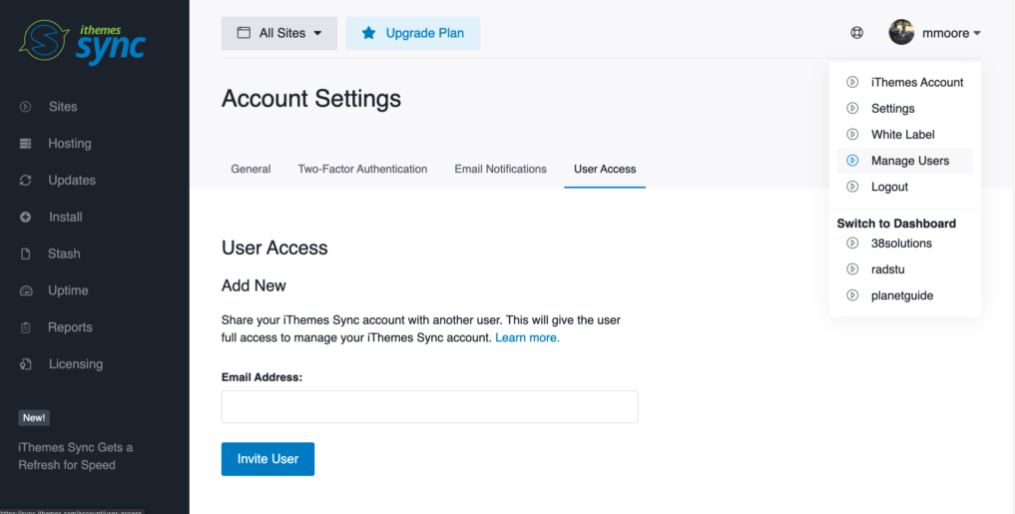
Built within the iThemes ecosystem, Solid Central is another MainWP alternative that provides a centralized dashboard for managing multiple websites. It can handle basic WordPress maintenance tasks, including bulk updates and monitoring.
While this tool supports WordPress Management, it’s worth noting that it functions proper when paired with other iThemes products.
This platform isn’t designed to function as a full-scale WordPress management system. It works best when paired with either BackupBuddy or iThemes Security.
Using this management platform means you’re ready to embrace other products in the iThemes ecosystem. Otherwise, you can consider other MainWP alternatives.
This platform boasts restricted standalone capabilities. Its reliance on iThemes products limits its flexibility and makes it less valuable to users who may not want to use iThemes products.
Solid Central is a decent choice for small agencies or those already using products in the iThemes ecosystem.
Highlighted Features:
- Centralized dashboard
- Monitors website health
- Supports plugins and themes updates
- Features basic client reporting tool
- Integrates with iThemes Security and BackupBuddy
Things I Like About this Tool:
- Simple interface
- Improved update system
- Decent tool for small teams
- Strong ecosystem integration
- Functions properly with other security tools
What I Don’t Like About this tool
- Ecosystem dependence
- Unsuitable for large agencies
- Subscription cost can accumulate
- Platform needs other iThemes products to deliver full value
- Boasts basic feature sets compared to several competitors
Who Should Use It?
Solid Central (formerly iThemes Sync) is a decent choice for agencies and freelancers already using other products in the iThemes ecosystem. The reason is simple; it will integrate smoothly into your workflow, improving ecosystem efficiency.
But there’s a catch; Solid Central isn’t a wise choice for large agencies managing large website portfolios. It is more suitable for users managing a handful of websites, who require basic website management tools.
It’s reliance on other products in the iThemes ecosystem limits its flexibility. It can’t function as a standalone tool.
Notwithstanding, Solid Central integrates seamlessly with other security tools for improved protection. That’s one of its core strengths.
7. WP Blazer:
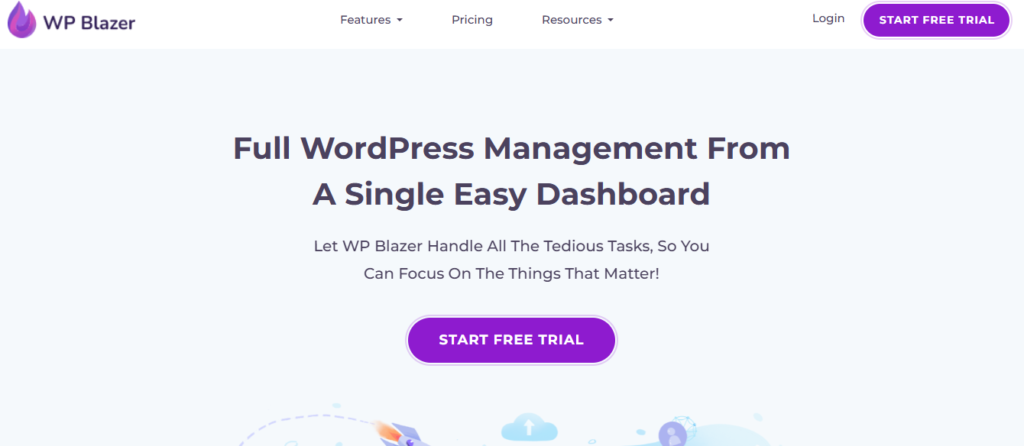
WP Blazer focuses on workflow optimization and website management. It provides a centralized dashboard that makes managing multiple websites simple.
The platform boasts tools that support updates, and monitoring, including content workflows. It comes designed to let you manage multiple content-driven platforms. This makes it a decent choice for marketing heavy environments.
It gives a centralized dashboard for managing multiple WordPress management tasks. This eliminates the need to login to individual websites to perform repetitive tasks. From a single dashboard, you can monitor, update, and backup your websites.
WP Blazer boasts a decent range of WordPress management tools, eliminating the need for you to switch tools during basic site management tasks.
Though the platform’s focus on WordPress management and content workflow optimization makes it unique, its complex nature can make it confusing to beginners. Overall, it boasts a moderate learning curve, and may require longer onboarding time.
Another drawback is the platform’s ecosystem. It’s not as matured as several established platforms. Furthermore, its moderate learning curve can have a direct impact on adoption speed.
Highlighted Features:
- Features content workflow tools
- Multi-site dashboard for managing multiple sites
- Supports bulk plugin and theme updates
- Features website monitoring system
- Decent client reporting tools
Things I Like About This Tool:
- Strong workflow focus
- A decent choice for content-heavy sites
- Supports scaling workflows
What I Don’t Like About this Tool:
- Moderate learning curve
- Uses subscription-based pricing
- Less mature ecosystem
- Requires longer onboarding time
- May feel too complex for beginners
Who Should Use It?
If you’re managing a wide range of content heavy-websites and want to include basic website management, then WP Blazer will make a decent choice. It streamlines website management and content workflows, allowing you to publish content on multiple websites simultaneously.
Marketers handling multiple campaigns may also fancy this tool, as it centralizes workflows across multiple websites, reducing the need to switch between tools.
It’s worth nothing that the platform is more suitable for experienced or advanced users. Its feature depth makes adoption a bit challenging for beginners or inexperienced users.
Common Complaints About WordPress Management Tools
If you have used a WordPress management tool and felt dissatisfied, you’re not alone. Most management tools have drawbacks which their developers have knowledge of but failed to address.
From SaaS to self-hosted solutions, WordPress management tools help users manage multiple websites. But most of them need improvement in one area or the other.
Here, we discussed the general complaints about WordPress management platforms and offered suggestions that can help you overcome them. Read on!
- Cost increasing at scale:
The cost of using most tools is among the long list of complaints most users have shared. Imagine paying more to use a tool because you added more websites.
Most platforms even charge on per website or per tier basis. Others don’t even have a clear pricing structure. They increase pricing once you start using their tool, making many users feel trapped.
Most WordPress management tools even adopt what is best regarded as “Modular Pricing.” In this case, the tools’ core features are affordable. Unfortunately, the cost increase as users starts incorporating more add-ons.
This forces many users to start reassessing their tool stacks, and start looking for other alternatives.
The Solution:
If you want to avoid paying more money as you scale, choose a WordPress management tools with a clear pricing structure. This eliminates surprises that can leave you in a situation where you start looking for alternatives.
Another idea is to choose a WordPress management tool that lets you add unlimited number of websites. WP Managify is an example of such tools. The premium plan lets you add unlimited number of websites without compromising performance or increasing usage cost.
- Control vs Ease of Use:
Understand that while most tools are easy to setup and use, they don’t offer control. That’s what differentiates cloud-based from self-hosted systems.
Unfortunately, most beginners or inexperienced users might choose a WordPress management tool that offers control. They forget that tools that offers control comes with some responsibilities and technicalities that can overwhelm a beginner.
Let me explain!
The self-hosted systems:
Self-hosted systems like MainWP and InfiniteWP will offer you better control of your data. That’s because everything is installed on your hosting. They are also customizable.
But one thing people forget is that using a self-hosted solution comes with some responsibilities beginners might struggle to handle. These tools require technical and maintenance knowledge to setup and use.
Another thing to note about these self-hosted systems is that onboarding can take time. They are also not easy to setup.
Cloud-based solutions:
Most SaaS solutions are beginner-friendly and lightweight. You don’t require technical knowledge to setup most cloud-based WordPress management solutions. Just connect your websites to a centralized dashboard and start managing them.
While SaaS solutions are easy to setup and use, they are not customizable or as flexible as self-hosted solutions.
Here’s the solution:
While SaaS solutions like WP Managify, WP Remote, and a host of others aren’t as flexible as self-hosted systems, they offer the tools needed for effective WordPress website management.
Most modern cloud-based WordPress management tools even features advanced automation and tools, making them a decent choice for beginners and advanced users.
The bottom line is to choose a tool that is ease to setup and use. Settle for a lightweight tool with simple interface.
Even a cloud-based WordPress management tool that provides a centralized dashboard can improve efficiency. Most of them support bulk update, backup, monitoring and security.
Platforms like WP Managify provides all the features you need to perform successful website maintenance and scale without compromising performance. But keep in mind that it’s a WordPress management-focused tool. It doesn’t support content workflows, hosting and other extras you may find on other comprehensive solutions.
- Performance limitations:
Performance breakdown is another general complaint about WordPress management platforms. The performance of most platforms drops as you add more websites, making users inefficient.
According to Google’s Web Vitals research, web-based tools’ interface responsiveness can directly impact users’ productivity. And there’s no denying that slow dashboards are among the list of challenges multi-site management solutions face.
Using a slow dashboard can increase tasks completion time. Even simpler tasks could take longer time to perform.
Now, between cloud-based and self-hosted solutions, which of them suffers performance limitation as one scale?
Overall, cloud-based management systems perform better than self-hosted systems under heavy load. In other words, tools like WP Managify will perform better than InfiniteWP if both had the same load. Server-side constraints and API limits can be an issue for most cloud-based solutions.
- Ecosystem dependency:
Most management platforms cannot deliver full value without depending on their ecosystem. Most tools require external plugins or integrations to extend functionality.
Why is ecosystem dependency a challenge?
Over-reliance on third-party tools is a huge risk. The risk is, if one component fails, then the rest of the workflow would experience a negative impact.
Another complaint is ecosystem adoption. Users must adopt the ecosystem to use most tools. An example includes tools like iThemes Sync, which can’t function as a standalone WordPress management platform.
The solution!
Find tools with little to no ecosystem dependency. Choose tools that can function as a standalone WordPress maintenance platform.
- Learning Curve:
Learning curve is another common complaint of WordPress management solutions. Most tools have a steeper learning curve, while others have shallow learning curve.
Onboarding time is required achieve full efficiency when using advanced management platforms. You need to understand their dashboard, integration setting, automation features and reporting. Note that some advanced management platforms are more complex and difficult to understand than others.
Research referenced by McKinsey on digital tool productivity and studies in software adoption reveals that complex and technical interfaces slows down user adoption rates. People don’t attain full productivity using systems that aren’t intuitive.
What’s the solution?
As a beginner, focus on platforms that boasts easy setup and intuitive dashboard. Complex management platforms will only increase onboarding time, and frustration.
Another solution is to choose tools with quality documentation. The learning curve reduces when using such tools.
Adoption speed improves when you choose a tool with detailed tutorials and structured guides. Poor documentation does the opposite.
Agencies adopting new tools with complex interface can allocate time for training.
Conclusion
You have seen the comparison of the different MainWP alternatives worth considering. You can see that each tool has limitations. However, some of them have far greater limitations than others.
It’s important to compare tools before making a commitment. And choose a tool that aligns with your business needs, budget, and is scalable.
A scalable solution will be important as your website portfolio grows, which is likely to happen given the number of WordPress websites popping up now and then.
You can review these handpicked MainWP replacements to make your choice. Check out the features, what we liked and didn’t like about each tool to make a decision.

:%20Manage%20Multiple%20WordPress%20Sites%20Effortlessly&media=https://wpmanagify.com/wp-content/uploads/2026/05/mainwp-alternatives.png)