
WP Managify

LIMITED TIME Unlock Lifetime Access Now $199 $139
00Hrs 00Mins 00Secs

Big Font Generator: Create Giant, Extra-Large Text Instantly

Make bold, big text for titles, bios, and social posts.

Style & Color
Dimensions
Size: 4rem
Spacing: 0
Effects
Bold
Wide
ASCII
Preview Text
0 characters
Copyable Unicode Styles
Similar Tools You May Like Too

Why Use a Big Font Generator for Your Content? 🚀

Maximize your visual impact across the web. Discover why marketers, content creators, and designers choose extra-large typography to dominate digital spaces.

Stop the Scroll 👀

Oversized text acts as a visual magnet. Use giant fonts to make your headlines and call-to-actions impossible to ignore on busy social feeds.

Better Accessibility ♿

Large typography ensures your message is readable for everyone, including users with visual impairments or those viewing on small mobile screens.

Instant Brand Presence ⚡

Establish a bold brand identity without spending hours in design software. Generate professional extra-large logos and banners in seconds.

Copy-Paste Unicode 📋

Access unique "Wide" and "Fullwidth" character sets that work natively on Instagram, TikTok, and Discord without requiring image files.

Higher Conversion 📈

Studies show that large, clear typography increases click-through rates. Make your "BUY NOW" or "SUBSCRIBE" buttons truly massive.

Universal Compatibility 🌐

Download your creations as transparent PNGs to use them across any platform, or use Unicode letters for text-only bios and comments.

How to Create Extra-Large Typography Instantly? 🛠️

Mastering our giant font maker is faster than a click. Follow these simple steps to transform your standard text into a massive visual masterpiece.

1. Input Your Message ⌨️

Start by typing your desired phrase, title, or username into the main input field. Watch the giant preview update in real-time.

2. Pick a Visual Style 🎨

Select from Neon, Gradient, Outline, or Shadow effects. Choose a color scheme that matches your brand’s aesthetic perfectly.

3. Scale the Dimensions 📏

Use the size slider to grow your text up to 8rem. Adjust letter spacing to create that premium, airy "High-Fashion" look.

4. Add Special Effects ✨

Toggle "Bold" for extra weight or "Wide" for horizontal impact. Enable ASCII mode for a unique retro-digital computer vibe.

5. Find Unicode Variants 🔍

Scroll down to the Unicode section to find copyable text versions of your words like "Fullwidth Heavy" or "Small-Caps Wide".

6. Download or Copy 📥

Hit the copy icon for social media bios or download the transparent PNG image to use as a header for your next big project.

Where to Apply Your Giant Font Designs? 📍

From social media profiles to professional presentation slides, extra-large text is a versatile tool. Here are the best places to use it.

YouTube Thumbnails 📹

Boost your CTR with bold, massive text overlays. Large font sizes ensure viewers can read your title even on tiny mobile thumbnails.

Instagram & TikTok Bios 📸

Ditch the standard fonts. Use "Wide" and "Fullwidth" Unicode styles to make your name and bio links stand out from the crowd.

Discord Servers 💬

Organize your server professionally. Use extra-large styled text for channel categories, role titles, and important rule announcements.

Presentation Slides 📺

Ensure the person in the back of the room can see your points. Use giant typography for impactful one-word slides or section headers.

Flyers & Digital Posters 🎫

Creating an event flyer? Use the PNG export feature to create striking, modern titles for t-shirts, posters, and digital ads.

Website Headers 💻

Generate high-quality transparent text images to use as hero section headers for blogs, portfolios, or eCommerce landing pages.

Limited Time Offer - Lifetime Access

WP Managify

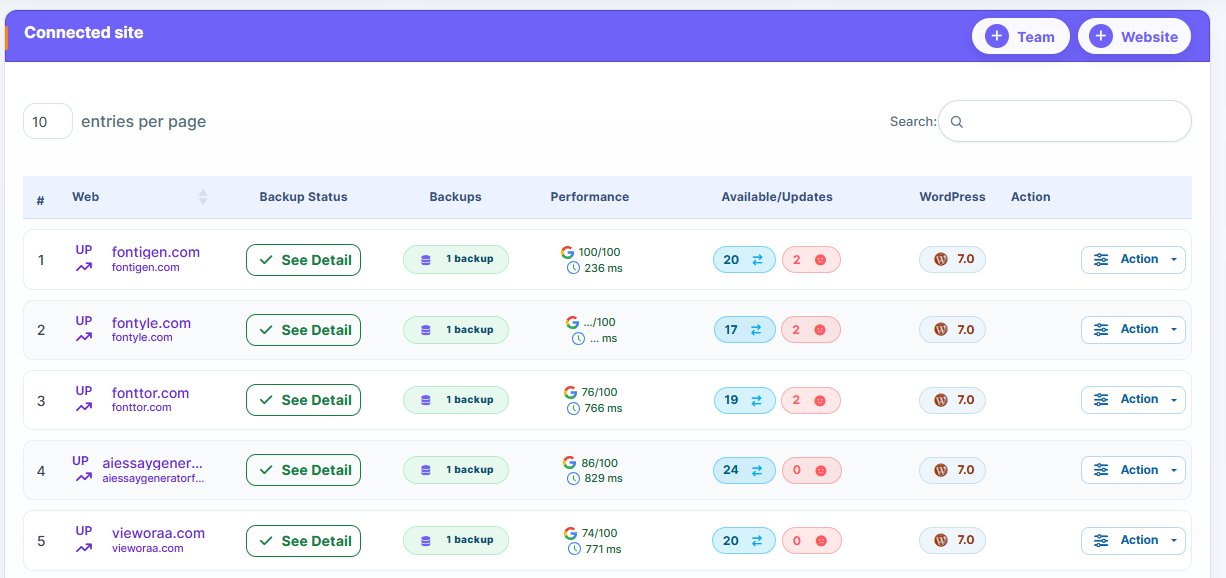
Manage Multiple WordPress Websites From One Dashboard

WP Managify Dashboard
LTD
$199 $ 139 One-time payment
Lifetime Access
Manage 15 Websites
40 GB Cloud Storage
Priority Support
Unlock Your Deal Now

Offer ends in

--:--:--